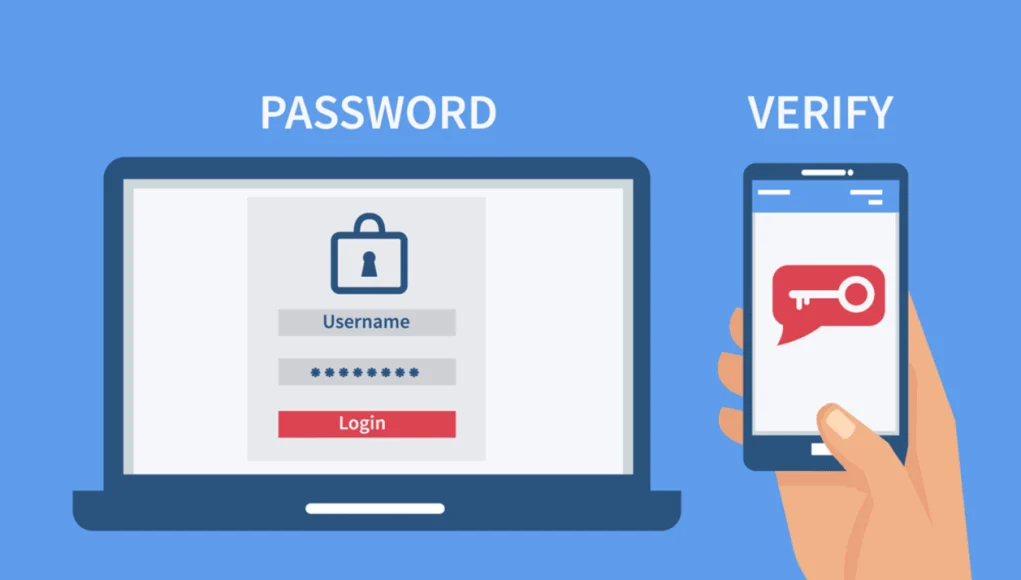
Since the dawn of personal computing, passwords have been the fundamental security measure for nearly everything, from personal emails to corporate bank accounts. However, with today’s cybercriminals possessing a wide range of tools capable of launching brute-force attacks, most passwords can be compromised. As a result, passwords are now bolstered by additional security measures to enhance the login process. One key feature among these is WordPress two-factor authentication.
What is Two Factor Authentication?
Unlike passwords, two-factor authentication (2FA) is a two-step process that requires two or three proofs of identity before granting access. Implementations of two-factor authentication use something you know (the password) and something you have/possess (such as a smartphone, an e-mail account, or a hardware key, etc.)
WordPress offers two-factor authentication via plugins. These plugins require additional identification factors including:
- A unique password (OTP) sent by SMS/e-mail
- A phone call
- A QR code
- Authenticators
- A push notification
- Hardware-based key generators such as YubiKey, SolidPass, etc.
| Product | Price | Rating | Active installs |
|---|---|---|---|
| Shield Security | Free + paid | 4.8/5 | 30,000+ |
| Google Authenticator (miniOrange) | Free + paid | 4.6/5 | 10,000+ |
| Duo Two-Factor Authentication | Free | 3.7/5 | 3,000+ |
| Two Factor Authentication | Free + paid | 4.4/5 | 20,000+ |
| Rublon Two-Factor Authentication | Free + paid | 4.2/5 | 400+ |
| Wordfence Security | Free + paid | 4.7/5 | 5M+ |
| iThemes Security | Free + paid | 4.6/5 | 700,000+ |
Shield WordPress Security
Shield WordPress Security (formerly Simple Firewall) offers two ways of authenticating the two-factor connection, by e-mail and with YubiKey. Its e-mail authentication offers two methods (IP address and cookies) that allow users to choose their preferred method.

For example, an IP-based check may be chosen if the IP address does not change frequently, and you want to create multiple WordPress login sessions from a single network location or with multiple browsers on the same computer.
The advantages of this plugin are two-factor authentication by OTP sent by e-mail and YubiKey, IP address, and cookies. However, this plugin does not support authentication via Google Authenticator, SMS, phone call, push notification, or QR code.
Pros
- Blocks bots and brute-force logins without much setup
- Email and hardware two-factor login in the free edition
- Activity log and WordPress file scanning in the free edition
Cons
- Off-site backups, passkeys and AI malware scanning need ShieldPRO
- Many options, so the settings screens take time to learn
Google Authenticator – Two Factor Authentication (2FA)
Google Authenticator – Two Factor Authentication (2FA) is the most advanced WordPress two-factor authentication plugin. It takes proactive steps against potential threats and provides multiple backup solutions to help users during severe attacks.

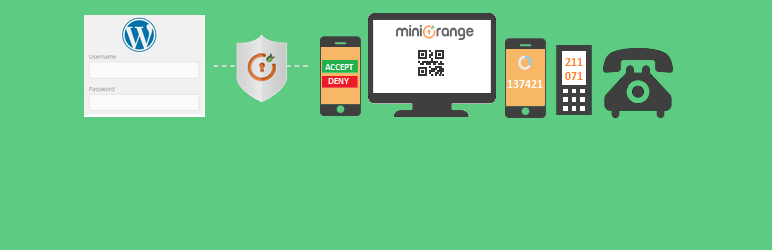
With this plugin, administrators and users can activate the two-factor connection service, configure their own connection options, and can connect to WordPress website using username + password + two-factor authentication or username + two-factor authentication.
The advantages of this plugin are two-factor authentication via SMS, OTP sent by e-mail, software key, QR code, push notifications, shortcode for customized login pages, and identification of the device to avoid repeated attempts. However, this plugin does not support WordPress multisite, authentication via phone call and YubiKey.
Pros
- Unlimited users on the free plan
- Passkey and TOTP two-factor login at no cost
- Login activity report and brute-force lockout included
Cons
- Push, SMS and WhatsApp codes need a paid plan
- Upsell screens appear throughout the admin
- Contacts the vendor's cloud API for licence checks
Duo Two-Factor Authentication
To use Duo Two-Factor Authentication, simply install the plugin and sign up for the service so you can start logging in without a password. The idea is to create a simple 2FA login on your website that is easy to use and robust enough to defeat the attackers.

Duo Two-Factor Authentication gives you full control over the users who could use 2FA. It supports multiple user authentication methods, such as one-touch ID, the single password generated by the application, a unique password (OTP) sent by SMS, a phone call, or a hardware key such as YubiKey, SolidPass, etc.
The advantages of this plugin are multiple 2FA options including hardware keys, SMS, and phone call. However, this plugin does not support WordPress multisite, authentication via Google Authenticator, QR code, shortcodes to easily integrate two-factor authentication features into a page/widget.
Pros
- Two-factor login by role, set in the plugin settings
- Uses the Duo Security service and its verification methods
- Free plugin with no paid edition in the code
Cons
- Needs a Duo account with integration and secret keys
- No firewall, lockout, malware scan or activity log
Two Factor Authentication
Two Factor Authentication plugin allows you to enable 2FA-based on user roles. It can be enabled or disabled for individual users and displays two-factor authentication on the login page only for authorized users. It also allows the editing of front-end parameters via a shortcode and helps you display parameters without allowing users access to the dashboard.

Two Factor Authentication plugin supports the WooCommerce login form and the Theme My Login plugin allows you to customize login pages with two-factor authentication for users.
The premium version offers more features such as customized layouts, emergency backup codes, better control of administration, user codes, and more.
The two-factor authentication plugin uses the TOTP & HOTP protocol and QR code, making it pretty secure.
Also, unlike other plugins, it supports WordPress multisite. This means you can now run a WordPress multisite network without worrying about the security parameter. And at Cloudways, we offer a reliable WordPress multisite hosting to optimize your network and upscale your performance.
Additionally, the plugin also supports Google Authenticator, Authy, and various other systems. The only downside is that it does not offer authentication via SMS, phone call, OTP by e-mail, shortcode, and YubiKey.
Pros
- Works with WordPress and WooCommerce login forms
- TOTP and HOTP authenticator apps supported
- Users can manage their own settings with a shortcode
Cons
- Role enforcement after a grace period is Premium only
- Lockout covers wrong codes, not password guessing
- Premium version needed for the full feature set
Rublon Two-Factor Authentication
Rublon Two-Factor Authentication allows a one-click download and activation process, allowing you to quickly set two-factor security on your blog or WordPress website. It is free for a single user.

Rublon Two-Factor Authentication offers e-mail and its smartphone app to check users who are trying to connect. No special knowledge is required to incorporate or use the two-factor authentication feature.
Moreover, you do not need to copy/paste the unique password from your inbox. Simply click the link in the email to confirm that you are the account holder.
The advantages of this plugin are two-factor authentication via e-mail or mobile application and prevent you from verifying your identity twice from the same device. However, this plugin does not support authentication via Google Authenticator, SMS, phone call, push notification, shortcode, or hardware tokens.
Pros
- Two-factor login through Rublon cloud methods
- Protection levels set by user role
- Confirmation prompts for sensitive admin actions
Cons
- Needs the Rublon cloud service and a registered application
- Free use covers one protected WordPress account
- XML-RPC protection is shown as a locked paid option
Further…
As you have probably noticed, I only talk about plugins that have only one feature, namely two-factor authentication. There are however some more comprehensive security plugins, which include 2FA. Among them, Wordfence Security and iThemes Security Pro are the most popular plugin for millions of active installs.
Wordfence Security
Wordfence Security is a security plugin that integrates a wide variety of features (such as firewall, country blocking, and logs) to secure your WordPress site and its content. It also performs regular checks to ensure that your site is not affected by any attack.

According to the plugin description, two-factor authentication for WordPress is included and requires the use of a smartphone, which differentiates it from a standard connection process. However, two-factor authentication is only available for the premium version.
Pros
- Firewall, malware scanner, 2FA and passkey login in the free version
- Scanner checks core, theme and plugin files against WordPress.org
- Dashboard for scan results, blocking and login settings
Cons
- Free version receives firewall and malware signature updates 30 days late
- Audit log and real-time threat updates need Premium
- Scans and firewall add work on the server
iThemes Security Pro
iThemes Security Pro (formerly Better WP Security), the paid version of the iThemes Security plugin, includes 30+ additional security features including two-factor authentication that works with Google Authenticator or Authy. You must have this application installed on your phone to configure it with your website.

You log in using your username and password and are prompted to enter a verification code that Google Authenticator automatically generates. This code only works for a single connection and changes after a few seconds.
Pros
- Two-factor login, brute-force lockout and compromised password checks
- Site scanner and file change monitoring in the free version
Cons
- Scheduled site scans need the paid Pro plugin
- Many settings and modules make the first setup long
The Last Word!
Whether you’re managing a blog on your own, collaborating with a team of writers and editors, or building websites for clients, a two-factor authentication plugin for WordPress can significantly enhance your site’s security.
Out of all the options available, my top choice is Shield Security, thanks to its distinctive authentication system, which sets it apart as a premier security solution. If you have a different favorite, feel free to share in the comments and let readers know why you prefer that plugin.