
Let me guess—about 80% of your website traffic comes from search engines, right?
Did you know that about 70% of those visitors don’t go past the page they land on?
“But my content is great, so why aren’t they sticking around?”
It’s because the average user’s attention span is short. They search, find what they’re looking for, read it, and then move on. But wouldn’t it be fantastic if some of those visitors became customers or loyal subscribers? In other words, converting them into leads!
What exactly are leads?
A lead is essentially contact information (and sometimes more) from an individual or business. Capturing leads helps you build a list of potential customers (or whatever your goal may be).
How can you capture these leads?
You’re in luck! This article will walk you through how to capture leads on your WordPress site using various plugins. Leads can be gathered in many ways, at different stages. It’s important to assess the quality of a lead before you start marketing to them.
These plugins will assist with the lead collection process, but lead qualification is a different topic altogether. Let’s get started!
HubSpot WordPress Plugin
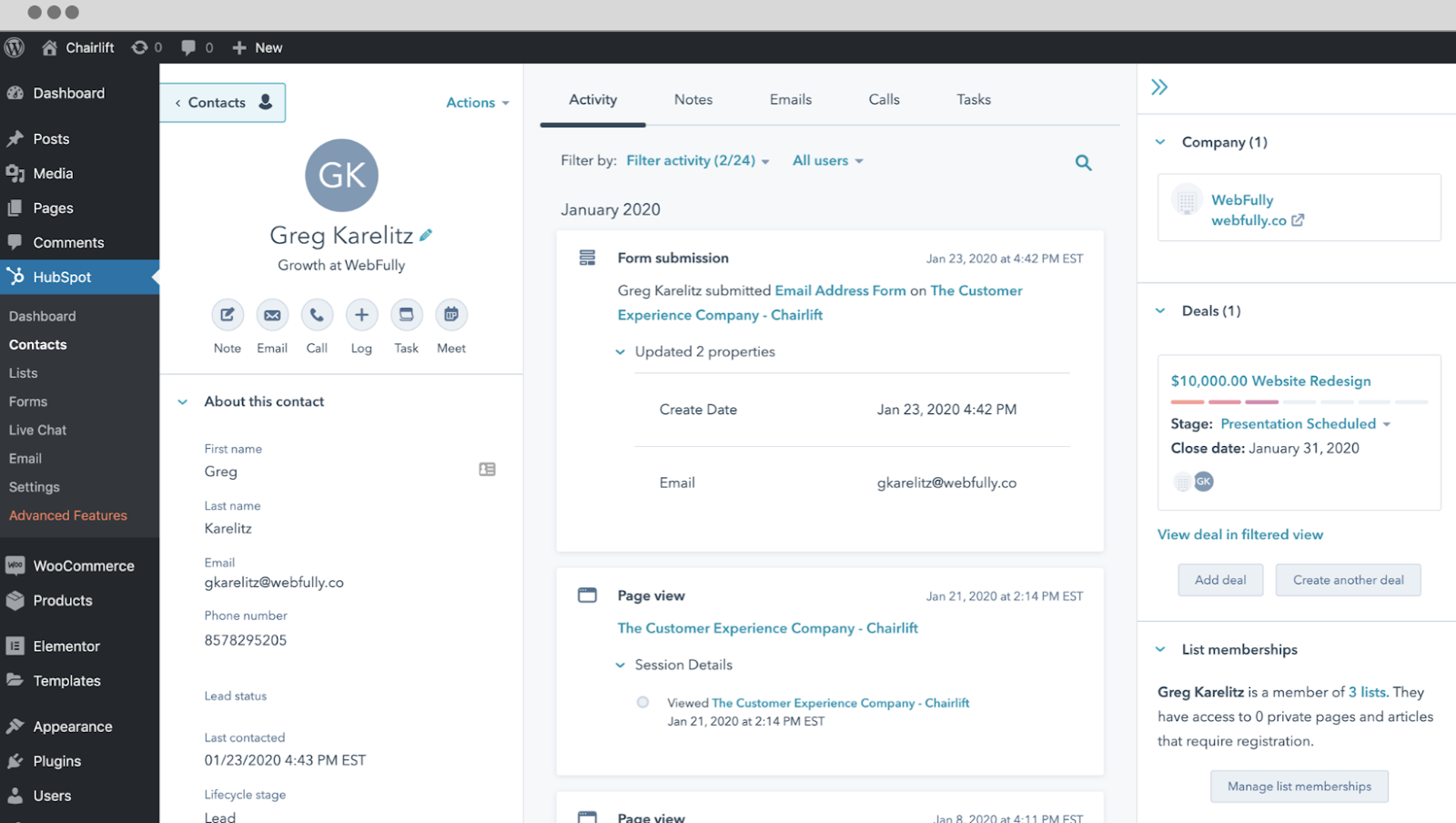
HubSpot is a leading provider of marketing, sales, and service software designed to help businesses grow. With their software tools, you have all of the features you need to capture leads across your entire website. HubSpot is available as a free WordPress lead capture plugin that’s easy to install and doesn’t require any coding.
At the core of HubSpot’s offering is a free-forever CRM. You can store contacts and start unlocking meaningful insights about who is visiting and taking actions on your site. And with lead capture tools such as forms, popups, and live chat, you can add new contacts to your CRM.
Once a contact is created, you can easily segment them into lists, engage with them via email, and see every interaction they’ve had with your website. You can even create automations and use one of HubSpot’s many integrations to make this process even more seamless.
Pros
- Official HubSpot plugin, free to install
- Form and meeting blocks in the block editor
- Shortcode for embedding HubSpot content
Cons
- Needs a HubSpot account to do anything useful
- Loads the HubSpot tracking code on public pages
- Sends data to HubSpot services by design
Sumo


Sumo (previously SumoMe) has established a name in the website Growth market. With their range of Free and Premium plugins, they’ve gathered a behemoth of recognition. Understandably, they had to be included in this article. Few of their plugins are targeted at lead generation, we’ll cover those.
List Builder
As the name says, this plugin is aimed at list building (the process of building a list of email subscribers). List Builder is an advanced popup plugin, one that can increase your conversions by several folds.
It has the usual Exit Intent which they refer to as “Smart Mode”. You can put timers to invoke the popups or set up OnClick events to trigger your events. It is completely customizable with a drag & drop interface and comes Mobile ready out of the box.
Welcome Mat
You can guess what this one does. A plugin that displays a full-screen Call-to-Action that shows as soon as the visitor lands on your page. You’ve probably seen those types of CTAs on many websites by now; being full screen, there is no chance your visitor is going to miss this.
Scroll Box
Scroll Box is another popup plugin which targets a user based on how far they’ve read your page. This can be used for targeting users when they are at the peak of indulging in your content. Example: Have the plugin pop up right when the reader is on an emotional hook. They’re sure to convert.
Smart Bar
Smart Bar is a floating top or bottom bar on your website, personally, I think this takes up too much real estate. But it sure converts like hell. Combine this with a really juicy CTA and watch your list grow.
Check out their amazing range of plugins: Sumo
Pros
- Pop-ups and signup forms managed from the vendor dashboard
- Simple site ID setting, no pop-up code to write
- WooCommerce cart subtotal and coupon helpers
Cons
- Front-end script from an external service on every page
- Pop-ups and statistics depend on a BDOW account
- Paid features are promoted through the dashboard
| Product | Price | Rating | Active installs |
|---|---|---|---|
| HubSpot for WordPress | Free | 4.3/5 | 200,000+ |
| Website Pop-up Builder by BDOW! (formerly Sumo) | Free + paid | 4.2/5 | 10,000+ |
| MailOptin | Free + paid | 4.8/5 | 10,000+ |
| Product Enquiry Pro | Paid | ||
| Thrive Leads | Paid |
MailOptin
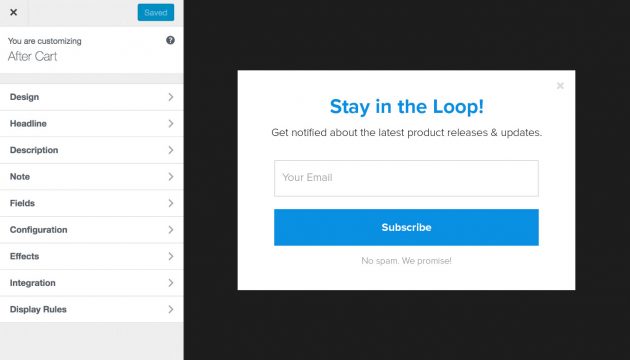
MailOptin is the ultimate WordPress lead generation plugin proven to grow and engage email list subscribers. MailOptin grows your email list by displaying targeted opt-in forms that are beautiful and conversion optimized across your WordPress sites without writing a single line of code.
Features Overview
- Different types of opt-in form such as Popup, Notification Bar, Inline, Scroll Box, Slide Ins, Sidebar Forms.
- A ton of professionally designed, mobile responsive and conversion optimized opt-in forms and email templates.
- Page level targeting and optin triggers to build hypersegmented email list such as EXIT INTENT, AdBlock detection, New vs Returning visitor targeting, Referral detection targeting etc.
- Analytics with actionable reporting & insights to improve your lead-generation strategy and make data-driven decisions that will increase your revenue.
Take a closer look at MailOptin.
Pros
- Popups, opt-in forms, notification bars and slide-ins
- Blog posts sent as email newsletters
- Connections to many email and CRM services
- Shortcodes and a block for placing opt-in forms
Cons
- Premium themes and some features need the paid version
- Many outbound connections to third-party services
- Large codebase with many shortcodes and email templates
Product Enquiry Pro

Product Enquiry Pro offers a unique way of lead generation, it is a plugin designed for WooCommerce.
It captures visitors who are closest to the end goal, Sales. Why else would you be asking for a Quote on a product? Quote? Really?
Yes. Product Enquiry Pro is a plugin that will help you setup up a Quotation system on your e-store. It helps customers interact directly with the seller. They can send an inquiry to the seller. The seller can offer a custom quote on the product, one, which the customer can accept or reject.
It provides a neat dashboard which has the contact information and other essential details of any customer who has contacted you. Use it wisely.
Check out Product Enquiry Pro for WooCommerce
Cons
- Annual subscription per business licence
- AI plan limits: one assistant, 5,000 pages, 100 AI messages
Thrive Leads
Thrive Leads is developed by the same people behind the famous “Thrive Themes”. Largely known for their beautiful Light Boxes, Thrive provides a plethora of triggers to invoke your Optins.
Plenty of templates are available to create gorgeous Optin forms and Popups. The User Interface is as simple as it gets, armed with Drag & Drop, Thrive Leads lets you customize every bit of the Popup. You can change the backgrounds, upload new ones, even apply Custom CSS to manually tweak to your heart’s content.
Thrive even lets you A/B test your forms, it is as simple as clicking two buttons. Choose the form you want to test > Click the purple icon to clone it > Make your changes > Start A/B Testing.
It lets you add notes to each test case, name them, and even elect a winner based on the conversion data.
You can check out the plugin over here: Thrive Leads
Pros
- Opt-in forms, popups and lightbox templates for lead capture
- Connects to many email marketing and automation services
- Stores captured leads in the plugin's own database
Cons
- Commercial product that needs a paid Thrive licence
- Licence check depends on the vendor server being reachable
- Large plugin with many dashboards and connections to configure
Conclusion
That concludes our overview of lead capture plugins. Leads are essential for a thriving business, and capturing them is only the beginning. It’s crucial to nurture these leads and build a relationship with them for sustained success. We’d love to hear which plugin has been most effective for you!