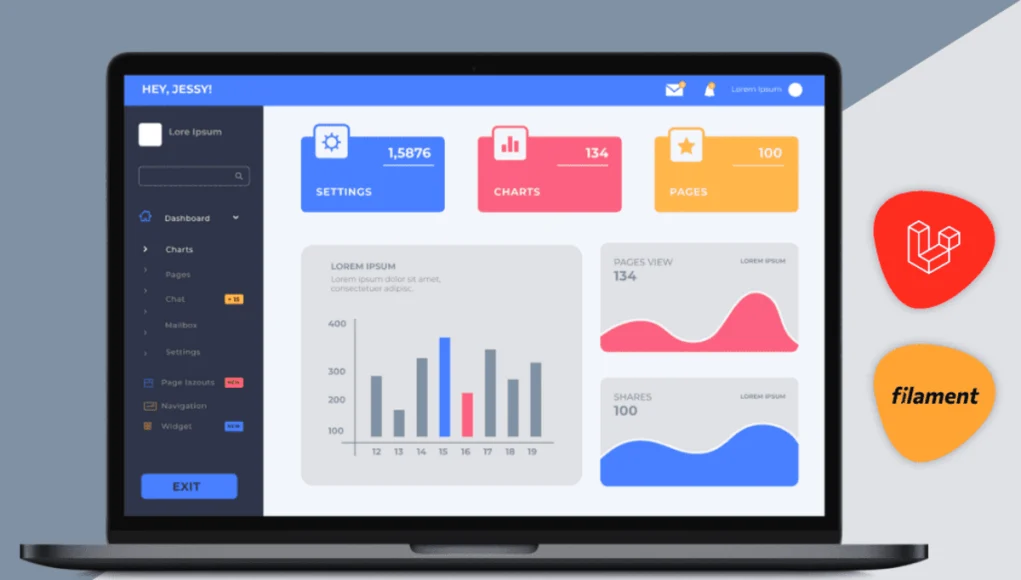
Your WordPress admin dashboard is the control room of your site. Plugins, settings and tools all live there, and a few clicks are enough to publish a new page or switch themes. The dashboard has improved a lot over the years, yet the default screen can still feel plain, with only a handful of widgets that add little value.
Out of the box, it also bends poorly to specific needs such as extra widgets, custom menu entries or a distinct interface. That is where plugins come in. A wide range of them lets you reshape the admin dashboard, so the back end becomes easier to use and control, not just the front end.
The list that follows covers plugins for changing the appearance and features of the back end of a WordPress site.
| Product | Price | Rating | Active installs |
|---|---|---|---|
| Dashboard Widget Suite | Free + paid | 4.9/5 | 4,000+ |
| White Label CMS | Free | 4.7/5 | 200,000+ |
| Ultimate Dashboard | Free + paid | 4.6/5 | 50,000+ |
| Admin Menu Editor | Free + paid | 4.6/5 | 300,000+ |
| Statify | Free | 4.8/5 | 100,000+ |
| Disable Admin Notices individually | Free + paid | 4.7/5 | 100,000+ |
| Wider Admin Menu | Free | 4.7/5 | 2,000+ |
| Admin Columns | Free + paid | 4.9/5 | 100,000+ |
| WP Custom Admin Interface | Free + paid | 4.7/5 | 30,000+ |
| Dashboard Notes | Free | 4.7/5 | 500+ |
| Controlled Admin Access | Free + paid | 4.8/5 | 10,000+ |
| White Label | Free + paid | 5.0/5 | 10,000+ |
| Admin Management Xtended | Free | 4.6/5 | 5,000+ |
| Post types Order | Free + paid | 4.5/5 | 600,000+ |
| Dashboard Cleaner | Free | 5.0/5 | 400+ |
| Admin Notices Manager | Free | 4.9/5 | 10,000+ |
| Dashboard Columns | Free | 5.0/5 | 1,000+ |
| WP Adminify | Free + paid | 4.3/5 | 6,000+ |
| Admin Menu Search | Free | 4.9/5 | 3,000+ |
| Hide Admin Bar Based on User Roles | Free | 3.9/5 | 20,000+ |
| Show modified Date in admin lists | Free | 4.9/5 | 6,000+ |
| Custom Admin Page | Free + paid | 4.9/5 | 400+ |
| Dashboard quick links widget | Free | 5.0/5 | 600+ |
| WP Admin/Dashboard Search Spotlight | Free | 4.3/5 | 900+ |
| Better Notifications for WP | Free + paid | 4.8/5 | 30,000+ |
Dashboard Widget Suite
Dashboard Widgets Suite adds a large set of new widgets to your dashboard. The plugin is free, kept up to date, and runs on all WordPress versions. Its widgets cover site details, database and server information, custom notes, social buttons and a server debug log. Every widget is under your control: pick which ones appear and where each one sits on the screen. Overall, it suits WordPress users who are not very technical but still want the dashboard to give them what they need when they need it.
Pros
- Debug and error log viewers in the dashboard
- Each widget can be switched on or off in one panel
- Shortcodes reuse the feed, social and notes widgets on the front end
Cons
- Pro edition is referenced in the code but its contents are not visible here
- Promotional banners for other Plugin Planet products appear in settings
White Label CMS
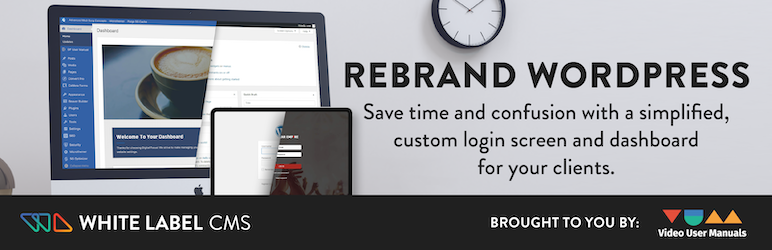
Building a site for a client? This plugin lets you shape the admin area around what that client needs. Besides a branded login page, it ships three ready-made CMS profiles (Website, Blog and Custom) that change the menu system. You can also leave a custom message for clients explaining how to find their way around the admin. Developers who want their own branding visible can put a logo in the header and footer of the admin area with White Label CMS.
Pros
- Free, with no paid tier in the code
- Login page, branding and dashboard in one plugin
- Setup wizard for first-time configuration
Cons
- Aimed at admin and login screens, not the public site
- Integrations are limited to a few named plugins
- No upgrade or licence path appears in the code
Ultimate Dashboard

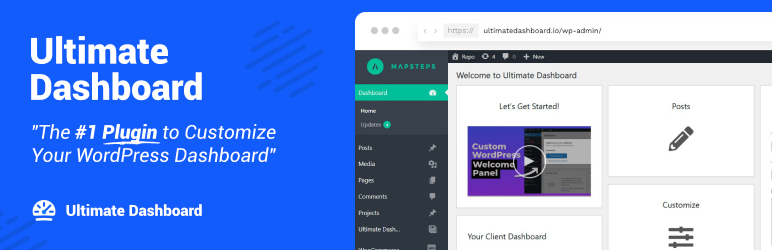
The Ultimate Dashboard plugin gives your WordPress back end a simpler look. When the default dashboard feels crowded, it clears things up by removing widgets or swapping them out. It can replace default widgets with quick links for faster access, works with third-party widgets, lets you brand the admin and login screens, and can create Vimeo and YouTube video widgets that play in a lightbox inside the dashboard.
Pros
- Custom dashboard widgets and admin menu editing in the free version
- Login page branding and login redirect rules included free
- No tracking or telemetry in the code
Cons
- Several branding and login options show a PRO-only message in the free version
- Onboarding email signup goes through a vendor proxy
Admin Menu Editor

The Admin Menu Editor is worth having on any site you administer. It lets administrators shape the default WordPress menu the way they want: build a new custom menu or change the order of the existing one. A drag-and-drop interface moves items around in the admin area, which makes the dashboard noticeably easier to use. It can also customize the login page and strip WordPress branding from the top bar.
Pros
- Reorder, rename and hide any admin menu item
- Add custom menu entries that point to any dashboard page or external URL
Cons
- Per-role and per-user controls need the Pro version
- The free editor shows Pro upgrade prompts
Statify
Statify is a dashboard plugin built with privacy in mind: it sets no cookies and relies on no third party. It gives you a quick, compact count of how often your site is viewed. An interactive chart comes first, followed by lists of the top referring sources and target pages. From the dashboard widget you set how long those lists are and what time period the statistics cover.
Pros
- Stats stored in the site's own database table
- Dashboard widget with chart, top posts and referrers
- Old data is cleaned up by a scheduled task
Cons
- Only basic figures; no funnels, segments or real-time view
- Relies on the REST API and WP-Cron working on the site
- Chart library is bundled, so admin pages load more scripts
Disable Admin Notices individually
This plugin lets you switch off notices for good, one at a time, whether they come from themes, plugins or WordPress core. Each admin notice gets a “Hide notification forever” link; click it and the plugin filters that notice out so it never shows again. That way you silence only the irritating messages from plugins and themes, while important error notices still come through. A setting in the plugin options also hides every notice globally. In that mode all admin notices disappear except update notices in the installed plugins list.
Pros
- Hide all notices, selected notices, or show them in one compact bar
- Can disable plugin and core update notifications
- Blocks redirects to promotion pages after activation
Cons
- Multisite support and some notice options are PRO only
- Hiding notices can also hide important warnings from plugins
Wider Admin Menu
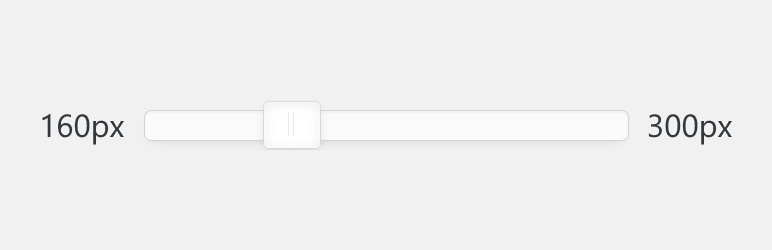
Wider Admin Menu is a small, open-source plugin that lets you choose how wide the admin menu is. If you would rather not run another plugin, a dedicated style sheet is available instead. It also cleans up after itself: deleting the plugin removes all its settings from the database automatically, while simply deactivating it leaves your settings in place.
Pros
- Free, with no external services
- Settings page for the menu width
- Settings removed when the plugin is deleted
Cons
- Only changes the menu width
- Separate stylesheet files per WordPress version range
- Adds a settings link to the plugins list
Admin Columns
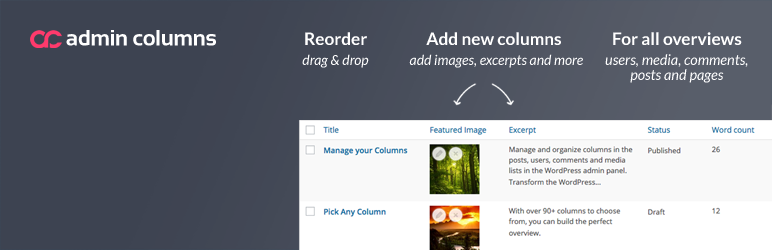
Admin Columns lets you change how list pages for posts (and custom post types) are organized. You can rearrange or edit columns freely and build new ones from more than 70 custom field types. The result turns WordPress admin screens into clean, readable overviews. Since the default columns often show little of what you need, Admin Columns helps you curate what you see.
Pros
- Add, remove and reorder admin list columns without code
- Works for posts, pages, users, comments and media
- Shows ACF and taxonomy values as columns in the free version
Cons
- Advanced ACF field columns require Admin Columns Pro
- Add-on pages and banners push the paid version
- Only changes admin list screens, nothing on the front end
WP Custom Admin Interface
WP Custom Admin Interface lets you customize the WordPress admin menu, toolbar, admin screens and login screen with little effort. It bundles a broad set of admin features that other plugins charge for, behind a simple interface for tailoring the back end for you and your clients or customers. If you manage several websites, the settings export feature makes it easy to roll the same customizations out to all of them.
Pros
- Drag and drop admin menu editing with custom icons
- Login page logo, colours and custom CSS
- Hide plugins, users and menu items from clients
- Export and import settings to other sites
Cons
- Multiple menus, admin code and dashboard widgets are Pro only
- Runs custom PHP snippets from settings, so admin access is code access
Dashboard Notes
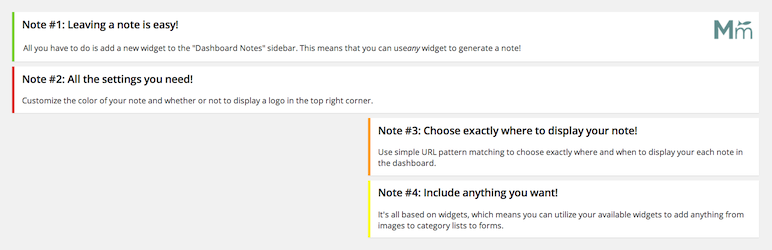
True to its name, Dashboard Notes lets you keep notes and ideas right in the admin dashboard. Web developers and content creators know that an idea not written down is easily lost. WordPress drafts can hold your thoughts, but they are not meant for long-term storage. This plugin makes creating a note quick and pins it to the dashboard so you can find it later. To add one, go to “Appearance”, then “Widgets”, and add your note. That screen exists in classic themes, and the plugin also needs the Classic Widgets plugin.
Pros
- Notes are plain classic widgets, so any text or HTML widget works
- Per-note colour, logo and page targeting
- Visibility can be limited by user role
Cons
- Requires the Classic Widgets plugin
- Does not work with the block-based widgets editor
Controlled Admin Access
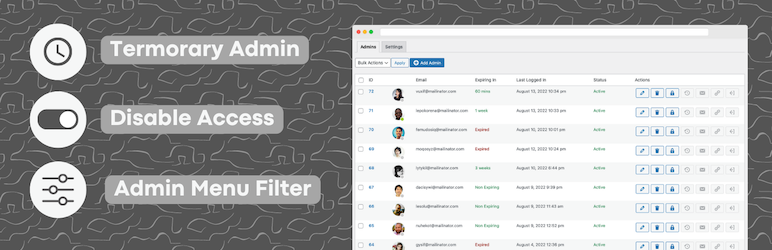
This plugin is easy to use. It lets an administrator create a user with temporary access and pick the admin pages that user is not allowed to open. Send the login details to the user, and once the job is done you can deactivate the account, then turn it back on later if needed.
Pros
- Hides and blocks chosen admin menu pages, including direct URL access
- Automatic expiry for temporary accounts
- Accounts can be disabled and re-enabled without losing their settings
Cons
- Restrictions cover only the core admin menus in the free version
- Plugin-internal pages, activity logging and remote logout are Pro only
White Label
White Label lets you customize the WordPress login screen and admin area, remove menus and more. Add a custom logo and login page, or build an entire custom dashboard with your own widget and other features that help clients work with WordPress. An informative dashboard widget can hold tutorials, FAQs and instructions so clients find support right where they work, and it can include images and videos.
Pros
- Login page styling without code
- Custom admin dashboard and menu renaming
- Settings can be exported and imported
Cons
- Upgrade prompts for White Label Pro appear in the admin
- Plugin-specific hiding covers only the plugins it knows about
- Pro licence is handled through a settings migration
Admin Management Xtended
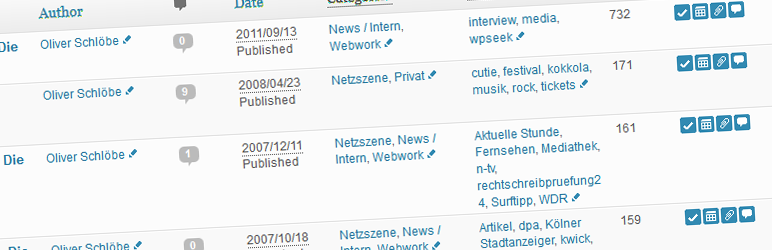
Admin Management Xtended places a few icons on the posts and pages management panel for AJAX-driven, CMS-style actions: toggle a post or page’s visibility, or change its publication date and title, without opening the edit screen or reloading. It also supports drag-and-drop page ordering plus inline category and tag management.
Pros
- Edit titles, dates, slugs and tags without opening each item
- Drag and drop page ordering
- Free, with no paid edition
Cons
- Adds icons and columns to list screens, which can look busy
- Donation link only; no support tier is named
Post types Order
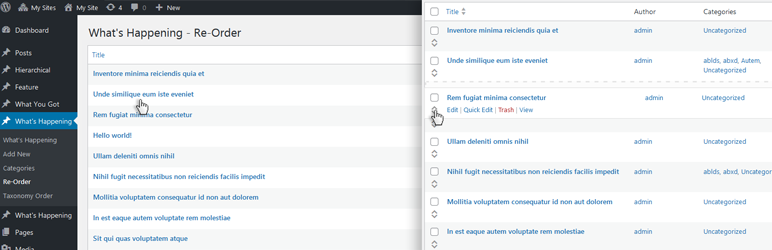
Changing the order of posts is something many WordPress users need. This plugin can reorder posts in any custom post type you have defined, as well as the default Posts, and the admin interface can list them in your new order. There are two ways to change the order. The manual way is to give each post a unique number in the WordPress Order field, which quickly becomes tedious when you have many posts. The quicker route is Post Types Order: drag items into place in its JavaScript-powered screen and the new sequence is saved.
Pros
- Drag-and-drop reorder screen for posts and custom post types
- Automatic sort option for front-end queries
- Works with Polylang and WPML
Cons
- Advanced features are promoted for a paid edition
- Automatic sort applies to queries unless excluded
Dashboard Cleaner

Client sites tend to collect surplus menu entries and widgets in wp-admin, and tidying them by hand gets old fast. Dashboard Cleaner can make any HTML element there disappear, whether that is a distracting banner, an ad nobody asked for or some other nuisance.
Pros
- Point-and-click hiding of admin elements
- Saved filters that can be reviewed and deleted
- Admin bar menu for quick access
Cons
- Hides elements on screen only, the code behind them still runs
Admin Notices Manager
A long stack of notices at the top of the WordPress dashboard is a common annoyance; sometimes they take up so much room that you have to scroll just to reach the dashboard. The Admin Notices Manager plugin fixes this by moving the notices out of the main dashboard view into one central place. You can keep working without interruptions and read them whenever it suits you, without missing important messages from WordPress core, plugins or themes.
Pros
- Moves dashboard notices into one popup, keeping the dashboard clear
- Choose per notice level whether to hide, pop up or leave notices
Cons
- Notices with non-standard markup need a CSS selector entered by hand
- Hidden notices stay hidden until the list is reset
Dashboard Columns

Using Dashboard Columns, you can change how many columns your admin dashboard has. Pick a layout in the Screen Options menu to adjust how your widgets are arranged while the interface stays responsive. On large screens you can choose four columns, on medium screens 1 or 2, and small screens show everything in a single column.
Pros
- Column count set from Screen Options on the dashboard
- Responsive layout on smaller screens
- No settings page to maintain
Cons
- Changes only the dashboard layout
- Shows a one-time onboarding notice
WP Adminify
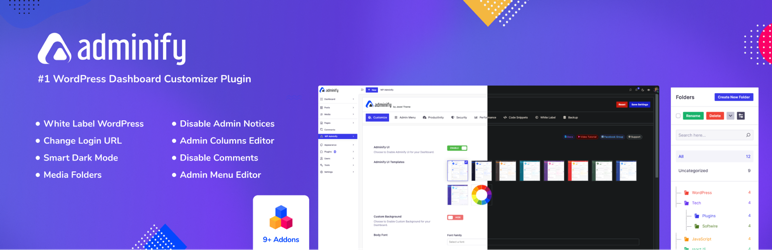
WP Adminify makes customizing a WordPress dashboard, your own or a client’s, straightforward. Its feature set is broad and covers what you need to build a truly distinctive dashboard: an admin columns customizer, folders for media and post types to keep content organized, easy menu item editing, WPML support, multisite support and more.
Pros
- White-label branding and menu editing in one plugin
- Media folders and security and performance options included free
Cons
- Some settings are Pro-only and show upgrade badges
- Usage tracking through the Freemius SDK is offered as an opt-in
Admin Menu Search
Admin Menu Search is a small plugin that puts a search box at the top of the Admin Menu in the WordPress Dashboard. Instead of scrolling or reaching for your browser’s Ctrl+F or Find, type a few characters into the Search Menus field and the Admin Menu shrinks to the matching items. Submenus are searched too, so in a classic theme typing “Widgets” keeps the “Appearance” menu visible, since Widgets sits under Appearance / Widgets there.
Pros
- Filters the admin menu as you type
- Keeps a parent menu visible when one of its submenu items matches
Cons
- Filters only the left-hand admin menu
- No settings screen
Hide Admin Bar Based on User Roles
True to its name, Hide Admin Bar lets you hide the admin bar depending on chosen user roles and capabilities. It can remove the admin bar from the front end for every type of user, guests included, or only for the specific roles you pick.
Pros
- Hides the toolbar by role, capability or guest status from one page
- Blocks wp-admin for selected roles and redirects each role after login
- No paid tier or locked features in the free code
Cons
- Bundles the Freemius SDK, which asks for opt-in usage sharing
- Many modules and options to review before rolling out
- Role rules need checking on each site before rollout
Show modified Date in admin lists

Show modified Date in admin lists adds a new sortable column to the page and post lists in the WordPress admin panel showing when each item was last modified, along with the username of whoever made the latest update. It grew out of the idea behind Sort by modified, a plugin whose display of this data breaks on newer WordPress releases.
Pros
- Last modified column in Posts, Pages and Media
- Sortable column
- Single file with no settings
Cons
- No settings or options
- Only affects admin list screens
Custom Admin Page
This lightweight plugin lets you add an unlimited number of custom pages to your WordPress admin dashboard. Create as many as you like and design them with TinyMCE, Gutenberg, WPBakery Page Builder or Divi Builder. Its default settings cover custom page order, placing a custom page under a parent page, picking an icon for the sidebar menu and more.
Pros
- Unlimited admin pages with role-based access
- Parent menu, order and icon settings per page
- Classic and block editor support
Cons
- Page builder support and slug control need the Pro version
- Pages are shown only in the admin menu, not on the front end
Dashboard quick links widget
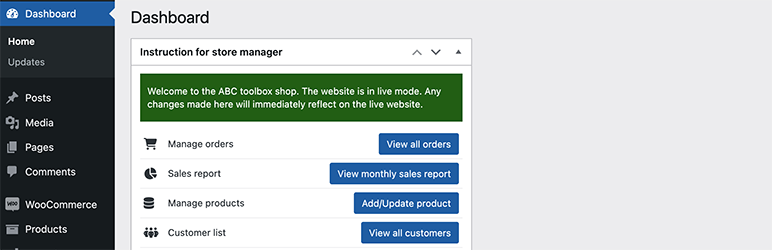
Dashboard quick links widget is a lightweight plugin for building a Dashboard widget that holds the wp-admin menu items you use most, so they are always close at hand. Its developer built it after spending many hours writing client and user documentation for every WordPress project.
Pros
- Simple link list configured in one settings page
- Links can open in a new tab
- Choice of Font Awesome icon versions
Cons
- Icons load from the cdnjs CDN
- Only a list of links, with no per-user or per-role control
WP Admin/Dashboard Search Spotlight
WP Admin/Dashboard Search Spotlight is a global quick-navigation search for the WordPress Dashboard that goes well beyond the default dashboard search. It can find almost anything in your dashboard, including pages, posts, comments, orders and users. Results show up very quickly and get more precise as you type. You no longer need to dig through the dashboard to find a menu: type a word and every matching option or menu on your site appears.
Pros
- Quick search of admin menus and content from the admin bar
- Keyboard shortcut to open the search
- Choose which content types are searchable
Cons
- Builds the search list on each admin page load
- Only useful for administrators working in wp-admin
Better Notifications for WP
Better Notifications for WP lets you customize the email notifications WordPress sends, using a WYSIWYG editor and shortcodes. Every default WordPress email notification can be edited, and the plugin adds many new ones. Notifications can go to individual users, several users, everyone in a user role or several roles. For more options, there are Premium Add-ons. Sending happens through wp_mail on your own site by default; pair it with a suitable third-party SMTP plugin if you prefer SMTP delivery.
Wrapping Up
WordPress gives you plenty of ways to customize the front end, but the back end can feel limited by default. An admin dashboard plugin fills that gap and makes managing your own site or a client’s site easier and more efficient. Thanks for reading, and hopefully this list has given you useful ideas for your WordPress dashboard.
Pros
- Visual editor and shortcodes for each notification
- Covers default WordPress emails and adds new ones
- Sends to users, roles or several roles at once
Cons
- Advanced features need separately licensed add-ons
- Mail goes through wp_mail, so delivery depends on your SMTP setup
- Premium add-ons use an external licence store