The login form is a mode to get into the website by entering your unique ID and password. Many WordPress themes provide their own login form with a simple structure. But if you desire to add some extra field as per your business need then you will need the assistance of WordPress custom login plugins. As it helps you to create a login form in your style.
Custom login plugins offer you the most essential customization feature to add image, background image, change the color combination, add a logo for unique identification, reCaptcha for security purpose and many more. This strategy will upgrade the user experience and interest.
| Product | Price | Rating | Active installs |
|---|---|---|---|
| Custom Login Page Customizer | Free + paid | 4.8/5 | 80,000+ |
| Customize Login Image | Free | 5.0/5 | 3,000+ |
| Custom Login | Free + paid | 4.8/5 | 10,000+ |
| Login Page Styler | Free + paid | 4.3/5 | 2,000+ |
| LoginPress | Free + paid | 4.8/5 | 200,000+ |
| Login With Ajax | Free + paid | 4.6/5 | 10,000+ |
| Erident Custom Login and Dashboard | Free | 4.9/5 | 7,000+ |
| Absolutely Glamorous Custom Admin | Free + paid | 4.5/5 | 20,000+ |
| YITH Custom Login | Free | 4.8/5 | 5,000+ |
Custom Login Page Customizer
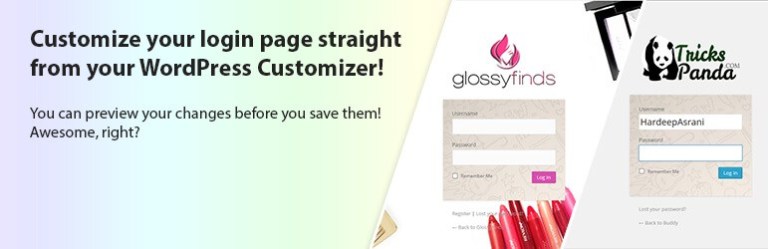
The name states that user can create a login form or page very easily using customizer feature. This plugin is a multi-purpose login form for WordPress users only.
This plugin provides all the standards customizing features free of charge. Features like background image, form styling, field styling, button styling, background image, background color and many more. But reCaptcha is only supported in the paid version to maintain the security level.
Pros
- Login page changes previewed live in the Customizer
- Background, colours, fonts and logo controls
- Custom CSS and JavaScript on the login screen
- Includes compatibility code for Yoast SEO and Rank Math
Cons
- Pro add-on needed for features beyond the core controls
- Admin menu has upgrade and feedback prompts
- Freemius SDK is bundled and asks for opt-in on activation
Customize Login Image
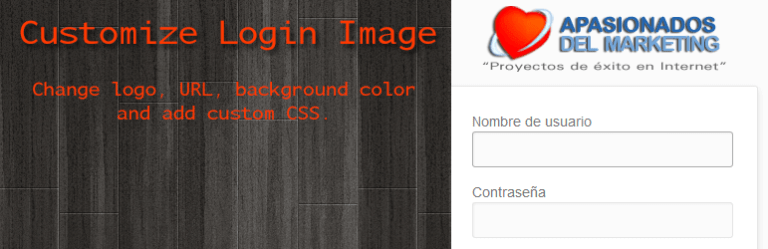
Customize Login Image permits you to upload the logo of your company, URL structure, change the background color, and custom CSS, and the most important it allows you to add an image to the login form as per your decision.
This plugin is translation ready so that the user can translate the website in different languages. It mainly supports English and Spanish language. This plugin contributes to change the user login experience.
Pros
- Logo, logo link and background colour on the login screen
- Falls back to a logo file in the uploads folder
- Optional server IP and host name display
Cons
- Only the logo, link and background can be changed
- Custom CSS was removed from the plugin for security
Custom Login

Custom Login is a straightforward and easiest way to customize the login page. Their are lots of blessings given by WordPress custom login plugins. When you make the changes to the login page as well as upgraded the plugin the changes your made previous will not get changes.
This plugin is widely used to refine the structure of freelancers’ website design form. More than 20,000 have active installations till now.
Pros
- Live preview of changes in the settings screen
- Per-language labels, button text and notices
- Multisite and network activation supported
Cons
- Templates and advanced backgrounds need the PRO version
- Post-login redirects by role are PRO only
- Styling only, no login security features
Login Page Styler

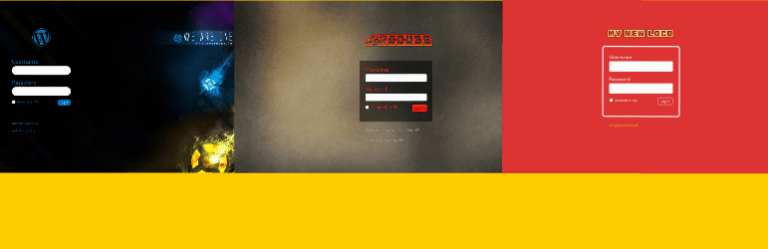
This plugin authorizes you to create a login form or a login page to the same look and feel of your website. You can change the look of the admin login, client login, forget the password, and the look of the registration page in just a minute. Without writing code.
Login page styler provides countless upgraded CSS customizing features but in the paid version. If your main focus is not about designing the login form, then you can select the Login Page styler to move forward.
This plugin is coherent with other plugins like BuddyPress, Limit Login Attempts, and bbPress.
Pros
- Login screen styling with logo, background and colours
- reCAPTCHA on login, registration and lost password
- Lockout after repeated failed logins and a login activity log
- Math captcha and IP blocking included in the free version
Cons
- Many style options are locked as premium in the admin
- reCAPTCHA theme choice is premium
- Settings pages carry upsell notes throughout
LoginPress

With the help of LoginPress plugin one can change the complete look of each login page, registration page, even can change a look of error messaged showed for registration, hint message, a password is forgotten, etc.
LoginPress plugin performs excellent as it gives you an instant preview option. Not only you can make changes to logo and color but also you can change the text in all pages. You can add your own innovative ideas to explore more about the design structure.
Pros
- Live preview of login page changes in the Customizer
- Changes logo, background, form styling and login messages
- Import and export of login page settings
- Compatibility code for Divi, WooCommerce and Yoast SEO
Cons
- Templates, captcha and social login need LoginPress Pro
- Admin adds Pro activation and add-on pages
- Diagnostic data is only sent after the user opts in
Login With Ajax
This plugin has been coded with the Ajax query that will send data to the server and will show the error message directly on the screen without refreshing the page. This process helps to reduce the user’s time and efforts.
By login With Ajax plugin, Login form can be added in 3 ways add form by using shortcodes, by using widgets, and by using template tag you can insert the login form.
Pros
- Login, registration and reset forms without page reloads
- Passkeys and two-factor login included in the free version
- Placement as widget, block, shortcode or pop-up
- Compatibility code for WooCommerce, BuddyPress and WPML
Cons
- SMS and WhatsApp two-factor login need the paid Pro add-on
- reCAPTCHA is advertised as Pro and is not in the free code
- Admin screens show Pro upsell panels
Erident Custom Login and Dashboard

Erident Custom Login and Dashboard is a complete freebie package to make a login form more appealing to reinforce the user practice. This plugin has top rates among the all. You also don’t need to purchase any paid login form plugin while using this one.
Pros
- Login page branding with logo, colours and background image
- Settings can be exported and imported
- One-click migration path to Ultimate Dashboard
Cons
- Readme says the plugin is superseded by Ultimate Dashboard
- Migration needs an internet connection to fetch Ultimate Dashboard
Absolutely Glamorous Custom Admin

Absolutely Glamorous Custom Admin meets all the requirements and the features that login form involve. Hence, the plugin guides you to customize admin panel, admin, bar, admin menu, and login page.
Pros
- Wide range of admin, login and admin bar tweaks in one screen
- Settings can be exported and imported between sites
- Can limit who sees the customisations by capability
Cons
- Many changes are cosmetic hiding rather than real access control
- Settings screen carries Cusmin upgrade and donation prompts
- Per-role configurations need the separate paid Cusmin plugin
YITH Custom Login
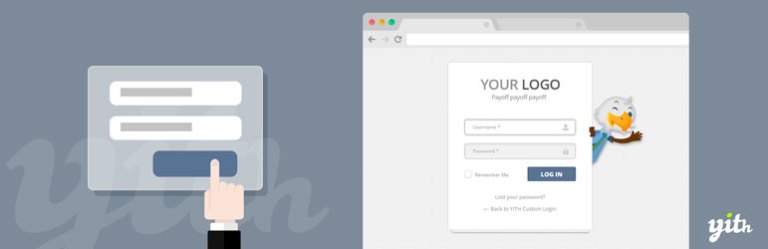
This plugin assists you to change the default structure of your WordPress login page. You can create your own design structure using this plugin. Full documentation has been provided at free cost.
Pros
- Free, with no upgrade screens in the code
- Background, logo, colours and typography set from one page
- Custom CSS field for finer control
- Templates can be overridden by developers
Cons
- Loads Google Fonts from Google when fonts are used (readme GDPR note)
- Styling only; no added login security features