
You run a food blog.
Your readers like the recipes you write, yet the recipe sections in your posts look plain. Other food blogs with simpler recipes present them better, and their readers end up enjoying those posts more.
That can be frustrating.
Good news: you can fix this yourself. One plugin gives recipe posts a polished look, with no developer or designer on the payroll.
What follows: top picks among food-blog recipe plugins, all aimed at making recipes shine.
Here is the list.
| Product | Best for | Price | Rating | Active installs |
|---|---|---|---|---|
| WP Recipe Maker | Free + paid | 5.0/5 | 50,000+ | |
| Tasty Recipes | Paid | |||
| Recipe Card Blocks by WPZOOM | Free | 4.8/5 | 10,000+ | |
| Le Chef | Paid | |||
| Total Recipe Generator for Elementor | Paid | |||
| Cooked | Free + paid | 3.9/5 | 3,000+ | |
| Recipe Box | Paid | |||
| Zip Recipes | Free | 4.8/5 | 1,000+ |
WP Recipe Maker

From Bootstrapped Ventures, WP Recipe Maker puts a recipe in any post or page. SEO-friendly metadata comes along too.
What the free version offers:
- Gutenberg is supported, and so is the older classic editor.
- Quick to fill in, with output tuned for Google’s recipe results.
- Pinterest Rich Pins support, which you can switch off.
- Readers leave ratings via comments.
- Readers get a clean, printable copy of each recipe.
- You can attach a video or photos to the recipe.
A paid premium version unlocks more advanced tools, such as:
- Links on ingredients that point to other recipes or products.
- A simple way for visitors to change the number of servings.
- A nutrition label filled in automatically through a connected nutrition API.
- A kitchen timer that is easy to use.
- Extra premium templates.
- Checkboxes next to ingredients and instructions.
Recipes stored in several other popular plugins can be imported. Even free, this tool is strong, and the premium upgrade is there once you need the advanced features.
Tasty Recipes

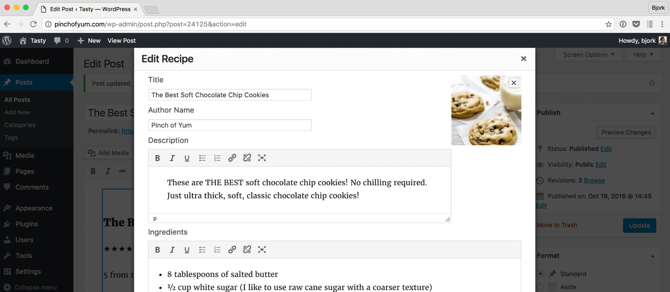
Pinch of Yum, Host the Toast and Cookies & Cups are among the big food blogs running it.
WP Tasty makes it. That company focuses on plugins that improve how food blogs look, and Tasty Recipes is built for exactly that job.
Main features:
- Imports recipes from other popular recipe plugins.
- Preview the result on a single recipe first, then convert the rest in one batch.
- Search optimization for Google & Pinterest.
- Video embeds that are included in the recipe metadata.
- Full nutrition details, with a Nutrifox integration.
- Room for ads, inside each recipe or on its print view, to help it pay.
- Star ratings from your readers.
- And much more.
It is sold as a yearly license, renewed each year to keep using it.
Recipe Card Blocks by WPZOOM
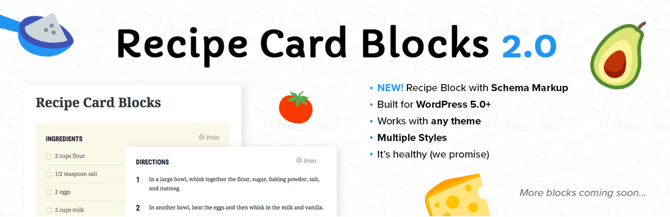
WPZOOM makes Recipe Card Blocks, a free plugin that gives recipes a cleaner look.
It is a Gutenberg blocks plugin for building recipe cards inside your posts.
It ships with 4 blocks:
- Recipe Card (with Schema Markup).
- Recipe Details.
- Ingredients.
- Directions.
Since version 2.0, the Recipe Card block covers ingredients and directions too, so those blocks are no longer needed separately.
Directions can also hold images, and there are 2 styles to pick from.
Le Chef
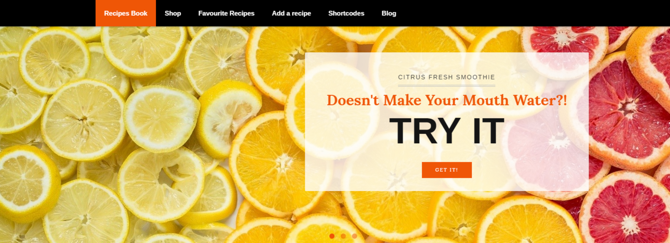
A premium recipe toolkit for food blogs, Le Chef comes from the AA team via CodeCanyon’s marketplace.
Its main features:
- Cooking time & estimated duration for each recipe.
- A grocery list, so readers missing an ingredient can buy it from you.
- Filtering, so readers quickly land on a matching dish.
- Widget listing most-liked recipes, so popular dishes get noticed.
- Front-end submission, so readers can send in recipes that you approve or reject.
- Favorites, so users can save recipes and come back without searching again.
- And much more.
Its author has Power Elite status on the marketplace. A purchase includes 6 months of support.
Total Recipe Generator for Elementor
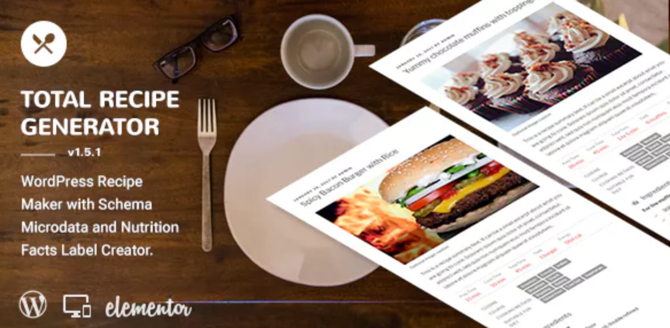
Built for Elementor, the well-known page builder, this add-on extends it.
Expect 8+ demos. Its maker, Saurabh Sharma, ranks among Code Canyon’s elite authors.
Purpose: wider reach for quality recipes.
Main features:
- Because it plugs into Elementor, recipes are built with Elementor’s own drag-and-drop editor.
- For custom styling, put a copy of the core template file into your theme; developers then override it there.
- Simple creation of Pinterest rich pins.
- Four label styles and 40+ nutrients (standard daily values included) come with its nutrition calculator.
- And much more
Keep in mind it only works alongside the Elementor page builder.
Cooked
Boxy Studio makes Cooked, a free plugin for building and showing recipes in WordPress.
Main features:
- Adds Google’s recipe structured data on its own.
- Drag & drop design. Pieces include ingredients, directions, gallery, nutrition facts, cooking times, difficulty level.
- Friendly to developers, who can customize it freely.
- A servings switcher that scales ingredient amounts.
If the free plugin suits you and you want more, a paid pro version adds:
- Star ratings or thumbs up & down from users; pick either.
- Favorites, saved to each user’s profile for later.
- Strong social sharing tools.
- Recipe submissions, so users can send you ideas.
- Two layouts: full-width & a modern grid.
Start with the free version, then upgrade to pro if you need more.
Recipe Box
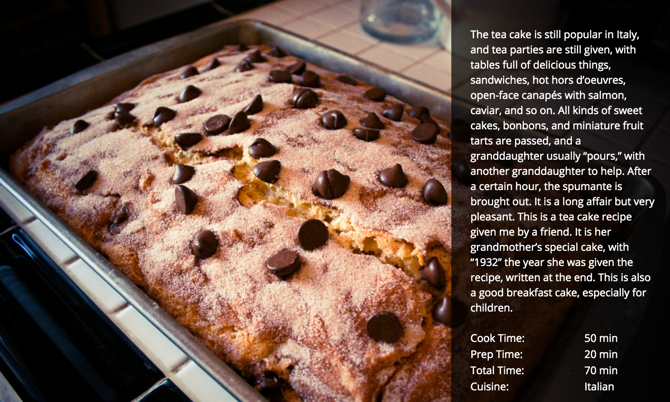
Recipe Box is a premium plugin sold on CodeCanyon. Its maker, DAEXT, is an Envato Power Elite author.
Lets posts and pages carry recipes.
Main features:
- All fields are optional; fill only those needed. They include description, image, instructions, ingredients, cook/prep/total time, recipe category & cooking method.
- Simple recipe ratings for users.
- Google-friendly rich snippets, generated automatically.
- 60 settings to control how recipes are displayed.
- And more.
A purchase includes 6 months of support.
Zip Recipes

A free plugin, Zip Recipes aims to bring more visitors to your recipe blog and help it earn more.
How its features help:
- Ranking higher on Google takes little extra work.
- With AMP, posts load instantly, which is better for readers.
- More Pinterest visitors through quick rich recipe pins.
- Better reader experience via images, highlights and downloadable recipes.
- Copy-paste from any word processor, then refine quickly in a flexible editor.
- Earn money through ads or affiliate links.
- And much more.
A solid free choice.
No longer available
- JT Recipes
Conclusion: Which Plugin Should You Pick?
That leaves several options and one question: which to pick. Look at each and see which fits your needs. Every plugin on this list deserves a look.
Start by choosing between free and premium. For a free start, WP Recipe Maker and Recipe Card Blocks are both good choices.
If your budget allows premium, it pays off over time. The clear first pick is Tasty Recipes, which most popular food blogs rely on, while Le Chef costs less.
The rest of the list is worth checking too; each one earned its place.
Weigh up each option against your own business needs, then decide.
Good luck with your food blog.