A big WooCommerce catalog is exciting to run, but it gets messy fast. The more products you add, the more your categories matter, because they are how shoppers find their way around the store.
Good categories do more than make the store look tidy. They make shopping easier and can lift sales. The trouble is that changing them by hand across hundreds of products is slow, dull work, and mistakes slip in.
With bulk editing, you change the categories of many products in one go instead of opening each one. That saves a lot of time and effort, and fewer manual steps means fewer slip-ups.
Below, we cover what WooCommerce lets you do out of the box, then walk through a few plugins that make bulk category work quicker. You’ll come away knowing how to tidy your store, help shoppers find things and keep the catalog in shape as it grows.
What WooCommerce can do on its own
Out of the box, bulk category editing in WooCommerce is basic. In bulk, you can only delete categories. Renaming, editing descriptions or swapping images for many categories at once is not possible. Deleting in bulk is still useful when you want to clear out categories nobody uses. The steps:
Here is how the built-in bulk delete works:
Step 1: Log in to the WordPress dashboard.
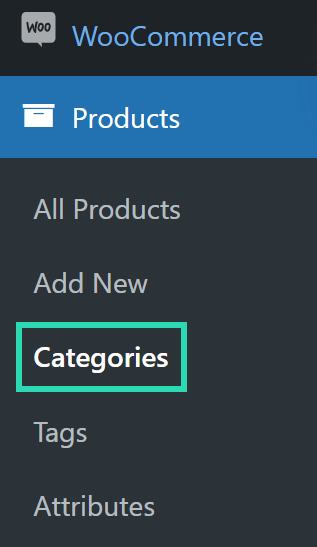
Step 2: Open Products > Categories from the menu on the left.
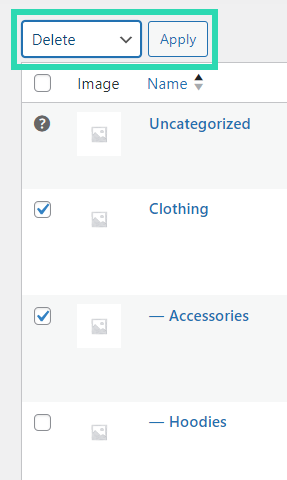
Step 3: Tick the box beside each category you plan to remove.
Step 4: Open the Bulk actions menu above the list and pick Delete.
Step 5: Click Apply and the categories are removed.
Custom fields and category metadata cannot be bulk edited in WooCommerce at all, so those changes have to be made one category at a time.
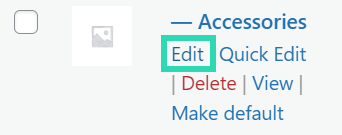
You can still open any single category and change its name, slug, description or image there.
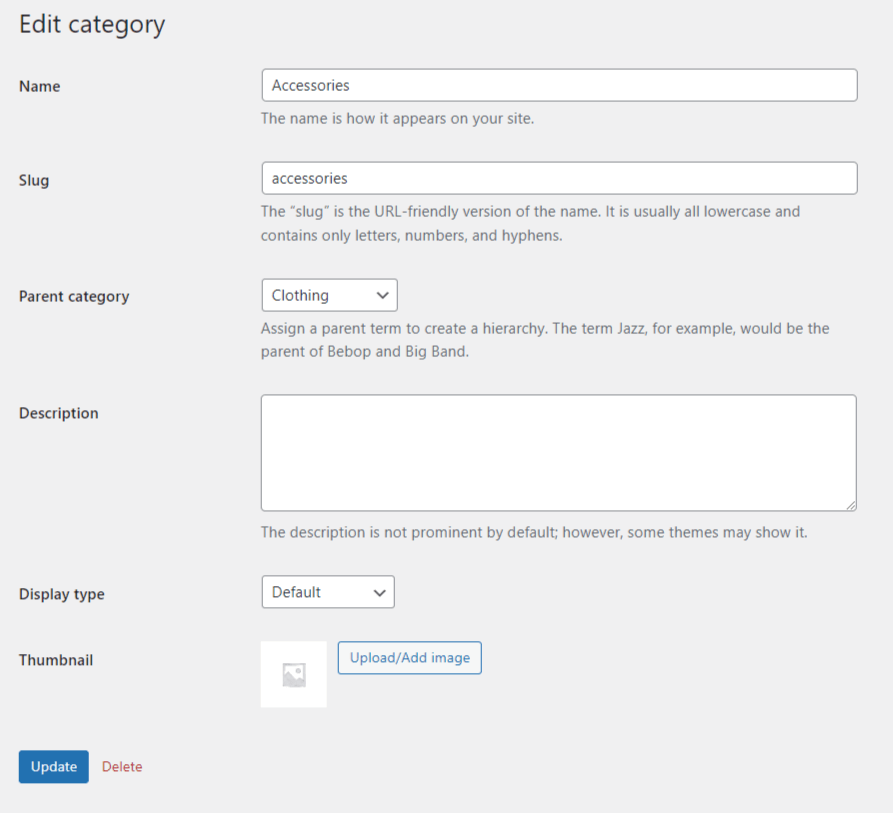
Plugins that make bulk category editing easier
For a lot of stores, the built-in tools fall short. Once you have many categories, or lean heavily on custom fields, a more capable tool keeps the work manageable.
These well-reviewed plugins add the bulk editing WooCommerce leaves out:
⚠️ Note: these are popular plugins that do the job well, but this is not an official endorsement of any of them.
WooCommerce Bulk Category Editor
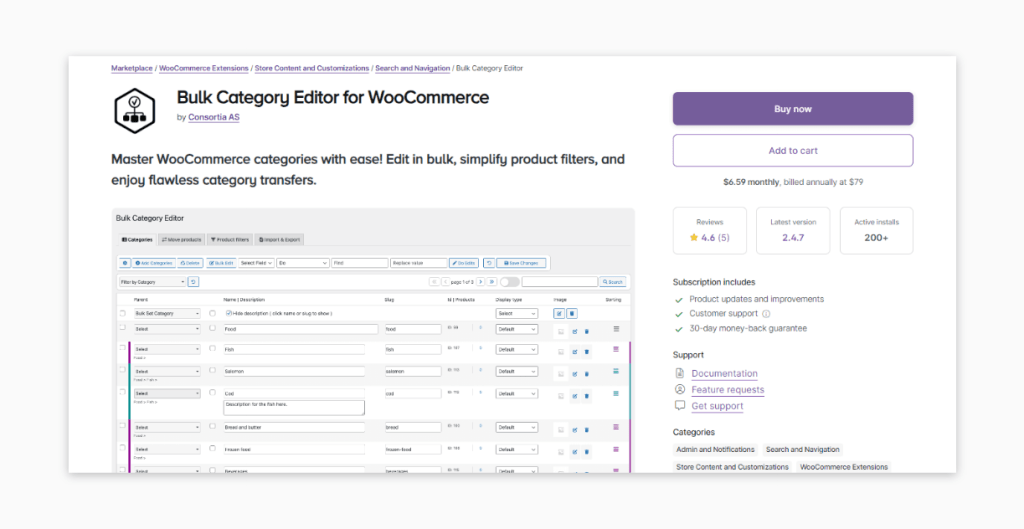
WooCommerce Bulk Category Editor is built to make category housekeeping quicker. It can also build filters and keep data in sync across stores, among other things. What it offers:
- Bulk rename, merge or delete: Clean up or change a whole batch of categories at once, not one by one.
- Add many products to categories: Put products into the right categories quickly, so the store stays organized and items are easier to find.
- Simple user interface: The screens are easy to follow, so making changes is simple even on day one.
- Powerful filters: Target an exact set of products with detailed filters, then edit only those.
- Works with your existing setup: It slots into the WooCommerce store you already run without much upheaval.
Plans start at $6.59 a month, paid yearly.
ELEX Advanced WooCommerce Bulk Edit Products, Prices & Attributes
The ELEX Advanced WooCommerce Bulk Edit Products, Prices & Attributes plugin lets you edit far more than categories, so it suits store owners who want one tool for managing the whole catalog.
What it does well:
- Full-scale bulk editing: Change prices, categories, attributes and more from a single screen.
- Filter-based editing: Use filters like category, stock status or price range to pick exactly which products to change.
For simple products and basic jobs, the free version is enough. Premium, from $79 a year per site, brings support for variable products, plus scheduled edits, undo and other advanced features.
WP Sheet Editor
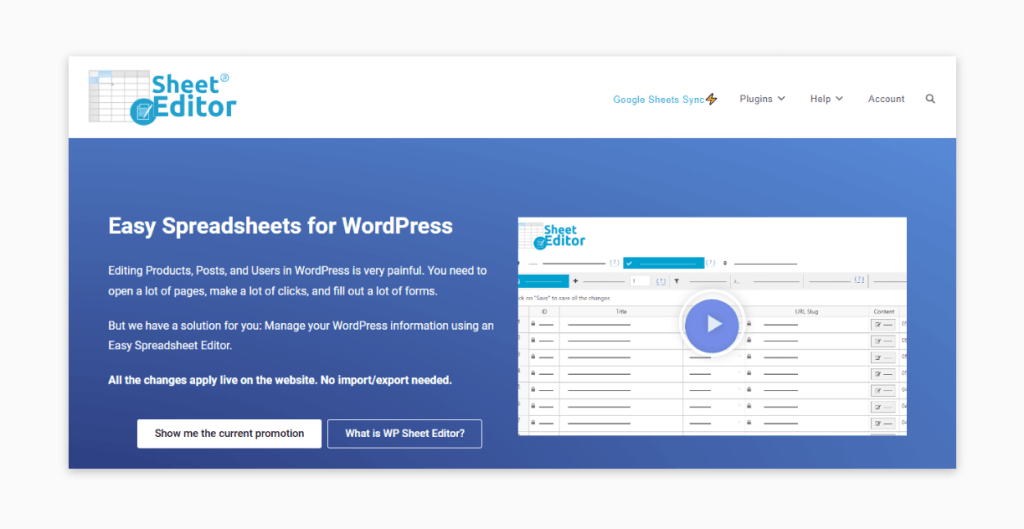
WP Sheet Editor turns editing into a spreadsheet, so it is a natural fit if you are used to working in Excel. It is not limited to products either: one spreadsheet tool handles every kind of WordPress content.
Changes take effect straight away, with no import or export step.
You can buy the whole bundle of 13 WP Sheet Editor plugins once for $499, and it is sometimes on sale for $399.
Looking after a high-volume store
A good bulk editing plugin solves one problem. A large WooCommerce store has others too, mostly around speed, upkeep and handling growth. Busy stores tend to hit the same issues:
Pages load slowly, the site goes down, stock gets hard to track, and performance slips when a traffic spike arrives.
If those sound familiar, outside help from a WooCommerce developer or consultant can catch them early, before they cost you sales.
Before you hire anyone, ask what they have done for stores of your size and how they plan to keep the site fast as it grows. A good partner should be able to cover these areas:
- Site optimization: Faster pages through server tuning, cleaner code and smaller images.
- Custom development: Tools or plugins built for what your store needs, when off-the-shelf options do not fit.
- Ongoing support: Clear terms for maintenance and support, including how fast they respond when the store goes down.
Hosting matters as much as the code. When comparing managed WooCommerce hosting, look for:
- A built-in CDN, uptime monitoring, SSL and security.
- Regular updates for WordPress core, themes and plugins.
- DDoS protection and strong security services.
- Priority support at any hour.
- Automated UX testing and monitoring.
- Developer time included on higher plans.
Know a bulk editing plugin we missed? Let us know and we may add it to this guide.