Secure Socket Layers (SSL) are protocols utilized on the internet to provide certificate data as well as protect data exchange over computers. These certificates guarantee users in terms of the website identity they are using to communicate. SSL is also known as TLS (Transport Layer Security protocol.)
In many advanced web browsers, users can easily click on the SSL icon shown on the address bar to verify identification, certification, and any additional information about a website. SSLs are not a preserve of websites as they can be utilized in SFTP, email, and other internet-based technologies. WordPress websites can gain from SSL by including an SSL certificate on their website hosting plan.
Today, there are numerous WordPress plugins which enable users to configure their SSL certificate information across their WordPress websites. Many websites have adopted SSL on their eCommerce websites and payment gateways. Users should be on the lookout and avoid entering their credit card or payment information on non-secure pages. Advanced browsers can display errors and often block execution of poorly secured pages on a website.
Really Simple SSL
The first of our WordPress SSL plugins is the Really Simple SSL plugin. This plugin can automatically detect all of your settings and can configure your website to go over https. And each of the incoming requests will be redirected to HTTPS. Unfortunately, the options are a little limited with this plugin but the developers did this in order to keep Really Simple SSL lightweight which will make your site run more smoothly. You can enable the SSL simply, with just one click. This plugin will also fix your insecure content by replacing http:// urls with https://
All you need to do to set up the Really Simple SSL plugin is:
Get an SSL certificate
Activate this plugin
Then enable SSL with one click
There is also a Pro version of the Really Simple SSL plugin which will provide support for mixed content in addition to the option to enable HTTP Strict Transport Security.
Pros
- One-click HTTPS migration with 301 redirects
- Hardening options such as XML-RPC and user enumeration
- Email two-factor login for chosen roles in the free version
Cons
- Captcha, authenticator 2FA, passkeys and firewall need Pro
- Vulnerability checks send plugin and theme names to a remote service
- Many settings screens to review after setup
| Product | Price | Rating | Active installs |
|---|---|---|---|
| Really Simple SSL | Free + paid | 4.9/5 | 3M+ |
| HTTPS redirection | Free | 4.2/5 | 100,000+ |
| Force HTTPS | Free | ||
| SSL Insecure Content Fixer | Free | 4.8/5 | 100,000+ |
| One Click SSL | Free | 4.9/5 | 10,000+ |
| JSM Force SSL | Free | 5.0/5 | 7,000+ |
| Verve SSL | Free | 4.0/5 | 10+ |
| SSL Secure Seal for WooCommerce | Free | 4.0/5 | 70+ |
HTTPS redirection

If you want to use the HTTPS Redirection plugin you will first have to install a SSL Certificate on your site and make sure HTTPS is working correctly. This plugin will allow you to automatically setup a way to redirect a regular http URL to the https version of the URL. This way your site visitors are forced to see the https URL site instead of the http version. You can choose to either have all of the pages on your site redirect to the https version or choose certain select pages to be redirected. If you start using SSL right away at the beginning of the use of your website then all of the static files have all already been embedded using HTTPS URL. But, if you have not been using SSL since the beginning then you will need to change the static files that we made prior to SSL.
The features of the HTTPS Redirection plugin are as follows:
- You can do an auto redirect for the entire domain
- Do an auto direct for a few pages
- Force load static files like: images, css, js, etc. using a HTTPS URL
Pros
- Redirects the whole site or chosen pages to HTTPS
- Scans for non-HTTPS resources and can force static files to HTTPS
Cons
- Needs HTTPS to be working before enabling redirects
- Certificate issuance depends on an ACME library that is not in this release
Force HTTPS
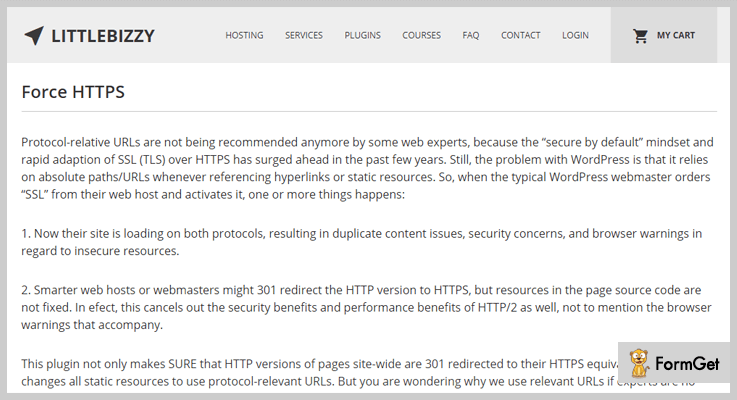
The Force HTTPS SSL plugin is similar to some of the others we have already discussed. What this plugin does is that it redirects any HTTP URL to an HTTPS version and it also fixes any insecure static resources without changing the database and it filters any external links will become secure. But before Force HTTPS can do any of this, you must make sure to have an SSL certificate installed on your server. This WordPress SSL plugin was created to be used on LEMP (Nginx) web servers with PHP 7.0 along with MySQL 5.7 in order to get its maximum performance. You should also only use this plugin if you are using a single site WordPress installation.
More features of the Force HTTPS SSL WordPress plugin include:
- Skips any external hyperlinks
- Can work with image srcsets
- Search engine optimization benefits
- No database queries or settings pages
- You don’t need to add more plugins to fix the insecure resources
Pros
- One small file with no settings to configure
- 301 redirect runs early on template_redirect
- Free, GPL licensed
Cons
- Last tested with WordPress 4.5.2
- Does not rewrite http links or mixed content
- wp-admin is covered only by the FORCE_SSL_ADMIN constant
SSL Insecure Content Fixer

And we have come to number 5 on our WordPress SSL plugins list with the SSL Insecure Content Fixer plugin. This plugin does exactly what it name says it does, it cleans up any of your website’s insecure HTTPS content and mixed content warnings. This plugin will be able to easily fix most of your WordPress site’s insecure content warnings. If the SSL Insecure Content Fixer plugin can not resolve all of the issues than the rest can be fixed with a few simple tools.
Once you have installed this SSL WordPress plugin it will automatically work on basic level, and depending on what the needs are of your site, you can change the settings so it does more things. A nice perk that comes with the SSL Insecure Content Fixer is that it comes ready to be translated into more than ten different languages so you will not be limited to English.
Pros
- Graded fix levels, from simple to widget-wide
- Built-in tests that check HTTPS detection behind proxies
- Network settings page for multisite installs
Cons
- Rewrites output at runtime rather than fixing stored URLs
- Hard-coded http assets in theme or plugin files need manual fixes
- Stronger fix levels add some page processing cost
One Click SSL

This next WordPress SSL plugin is as easy to use as 1,2,3. The One Click SSL plugin is incredibly simple and will be easy to use and allows you to enable the SSL, you guessed it, with jut one click. How this plugin works is that it redirects all pages that are not SSL to SSL, in addition to making sure that any and all of the resources on your SSL pages are also loaded over SSL. The One Click SSL plugin comes with a very user friendly set up wizard once the plugin has been activated. The set up wizard with then check if SSL is supported on the hosting or server before it even lets the SSL to become enabled. It also makes sure that the website is still accessible even if SSL is not supported.
The One Click SSL WordPress plugin will also:
- Redirect to non SSL if SSL is not enabled
- Can convert all non-SSL resources like images or scripts to https:// on all of your site’s pages
- Redirects all non-SSL URLS to https://
Pros
- Checks SSL support before switching
- Redirects HTTP to HTTPS and rewrites resource URLs
- Shows certificate details in the admin
Cons
- Does not install or renew certificates
- Rewrites output at runtime, so hardcoded http links in the database still need cleanup
- Multisite support needs a network-level setup
JSM Force SSL

The JSM Force SSL plugin is a little different from the other WordPress SSL plugins we have already discussed previously in our list. But before we get to that, this plugin is super easy to use, fast and effective at making sure that all of your HTTP URLs will get rewritten and redirected to the secure HTTPS URL. And, just like the others, you must have an SSL certificate for your WordPress site before using this plugin.
Now what makes the JSM Force SSL plugin different from others is that most other similar plugins make an output filter by using PHP’s output buffer to search and/or replace URLs within a webpage document. However, using an output filter is much slower compared to “hooking WordPress filters and using permanent (301) redirects”. All you have to do with this plugin is install and activate it and it does the rest for you, easy breezy.
Pros
- No settings: activate and HTTP URLs become HTTPS
- Uses 301 redirects and filters instead of output buffering
- Honours X-Forwarded-Proto and X-Forwarded-Ssl proxy headers
Cons
- Does not change URLs stored in the database
- Only disabled through constants in wp-config.php
- Needs a site that already serves valid HTTPS
Verve SSL

Next on the list is the Verve SSL WordPress plugin to help you solve any and all of your site’s SSL plugins. This plugin is super easy to install to get you started all you have to do is make sure you have a SSL certificate on your site. This WordPress SSL plugin will set the WordPress login and administration area to use HTTPS (SSL). Once you have logged out of WordPress the plugin with then change it back to regular HTTP automatically. Verve SSL also allows for HTTPS while you are viewing your WordPress blog while still being logged in. This plugin can also automatically remove any insecure content your WordPress site may have and will update it to secure while you are logged in.
The Verve SSL WordPress plugin comes with a few more features, such as:
- SSL security for your entire logged in session
- PHP code for better compatibility
- No changes to WP-Config.php needed
- Converts URLs to lowercase to make the SEO better
Pros
- Forces HTTPS for login and admin with no configuration
- Rewrites insecure links for logged-in users
- Single file with no settings or database tables
Cons
- Last tested with WordPress 5.2.2 and not updated since 2019
- Requires a working SSL certificate on the site
- Sends a Location header on anonymous page loads (nohttps)
SSL Secure Seal For WooCommerce
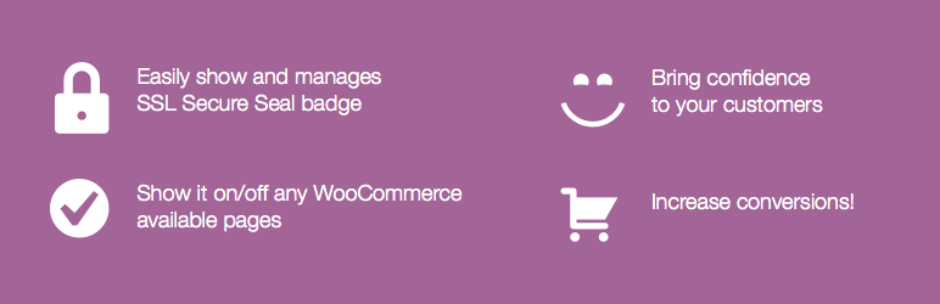
And we have arrived at number ten, the final plugin of our WordPress SSL plugins and I know what you are thinking…”Didn’t we already talk about this one?”. The SSL Secure Seal For WooCommerce is clearly about WooCommerce but this is a different plugin than the prior one. Having an SSL plugin is incredibly crucial to your online shop and may make or break your site. If people do not see that your site is secure they will not trust it and be comfortable with inserting very personal and private information, especially finance related like credit card numbers.
First you must have an SSL certificate installed on your WordPress site and having a secure seal badge will make customers comfortable enough to put it details like their address and card number. With the SSL Secure Seal For WooCommerce plugin you can also show and manage the SSL secure seal or your own custom image on certain WooCommerce pages.
Pros
- Seal shown on checkout, cart, product and account pages
- Custom image from the media library or embed HTML
- Settings sit in the WooCommerce settings tab
Cons
- Last tested against WordPress 4.8 and not maintained
- Embed HTML is output without filtering
- Needs WooCommerce active; does nothing on its own