
Photographers need a portfolio. So do artists, agencies and freelance writers. If you make things, you have to show them online, because that is how the right clients find you. Think of the portfolio as your opening pitch: it holds your strongest work and makes clear which niches you serve. The simple route is a WordPress theme, a site built on it, and a portfolio plugin on top.
That setup costs little and takes little effort. On top of that, good portfolio plugins bring a long list of extras that platforms outside WordPress rarely match.
Which are the best WordPress portfolio plugin options worth a look? Here is a short list to start with:
What a Good WordPress Portfolio Plugin Should Offer
Before you pick from the plugins below, it helps to know which features matter. Here is what to look for:
- No limits on the number of portfolios, rows or columns.
- A free or low-cost way to build it. A portfolio plugin should not eat a big chunk of your budget.
- A choice of layouts, for example grids, masonry and sliders.
- Ready-made templates, so your portfolio does not have to begin from a blank page.
- A visual builder that previews the gallery before you publish it.
- Search bars and filters you can switch on.
- Animations that make the portfolio more eye-catching.
- Controls for colors, icons and sizes.
- Compatibility with many themes and page builders.
- Simple ways to place the portfolio on a page, like widgets and shortcodes.
- A bonus: pulling content from several places, such as blog posts, Dropbox or Instagram.
With that list in mind, let’s look at each of the top WordPress portfolio plugins in detail.
| Product | Price | Rating | Active installs |
|---|---|---|---|
| Portfolio Gallery | Free + paid | 4.8/5 | 20,000+ |
| WP Portfolio | Free + paid | ||
| GridKit Portfolio Gallery | Free + paid | 4.4/5 | 6,000+ |
| Portfolio Post Type | Free | 4.7/5 | 40,000+ |
| Visual Portfolio | Free + paid | 4.8/5 | 50,000+ |
| NextGen Gallery by Imagely | Paid | ||
| Media Grid | Paid | ||
| Go Portfolio | Paid | ||
| Essential Grid | Paid | ||
| Cube Portfolio | Paid | ||
| The Grid | Paid | ||
| Envira Gallery | Free + paid | 4.7/5 | 100,000+ |
Portfolio Gallery
The Portfolio Gallery plugin ranks among the highest-rated free gallery and portfolio plugins in the WordPress directory. Getting a portfolio onto your site with it is very simple, and the result is an attractive, responsive gallery with filters and lightbox views.
Even the free version gives you layouts with several columns, numbering, titles and spacing controls. Formats like masonry and grayscale let you shape a portfolio that looks good and bends to your needs.

Portfolio Gallery plugin
The free version is capable enough for most small businesses, and plenty of artists and photographers will never need to upgrade. If you do, Premium starts at $25 for a personal license. Pricier business and developer licenses exist, plus a personal license that covers every premium plugin the developer makes.
Premium adds custom CSS tools, sorting controls and unlimited filters. It also lets galleries spread across your site, into posts, pages and widgets.
What Makes Portfolio Gallery Stand Out?
- The free version is strong and covers most of the portfolio tools a typical artist needs.
- Premium is fairly cheap and adds many more tools, which suits agencies or anyone who wants to grow the portfolio’s features.
- Portfolios look clean and current, and you can pick from many formats, including several column counts and widths.
- You get effects and animations, such as hover effects and grayscale.
- Your portfolio can hold videos as well as pictures.
- Every layout comes with filters, so clients can browse your work in a tidy, organized way.
- The free plugin publishes galleries with a shortcode. Premium adds widgets plus page and post types.
- A Bootstrap lightbox gives you that key effect, and it behaves well on phones and tablets.
- You decide the sort order, for example by date or descending.
Who Should Pick This Portfolio Plugin?
Thanks to the free version, Portfolio Gallery is a good fit for freelancers and startups. Agencies, well-known artists and designers can use it too if they want an easy way to put filterable work online.
Pros
- Category filter buttons with deep-linked filters
- Masonry layout and Elementor widget
- Shortcode placement on any page
Cons
- Show description is a Pro feature
- Layout type and grid aspect ratio are Pro preview options
- Pro upsells appear in the gallery editor
WP Portfolio
WP Portfolio is a paid plugin for getting a portfolio up quickly on WordPress. It comes in three flavors: website, image and video portfolios. Web designers and developers can upload sample websites and arrange them as a portfolio. Photographers and artists get the image option, and videographers get the video one.
Plans are billed yearly, and one fee covers every feature, but you have to renew each year to keep full support. The Lifetime plan, from $199, gives the most for the money. Yearly plans run from $39 a year up to $199 a year for the Agency Bundle.


WP Portfolio plugin
What you get varies by plan. Every paid plan includes a simple shortcode for placing the portfolio and more than 48 dummy portfolios, so a design can come together in minutes. You also get a polished portfolio designer, REST API access and sortable categories. Higher plans add handy addons such as Beaver Builder and Elementor.
What Makes WP Portfolio Stand Out?
- It is a paid plugin, and the $39 a year plan already holds most of the features.
- Billing is yearly, or you can buy a lifetime membership instead.
- Every plan includes the REST API, so you can tailor nearly any part of the portfolio and connect it to other platforms.
- The dummy templates let you launch a portfolio with no design skills. Agencies juggling lots of clients will find them handy too.
- Filters make every portfolio category sortable.
- A simple shortcode places a portfolio anywhere on your site.
- Need page builder support or extra premium WordPress plugins? The higher-priced agency bundles throw those addons in.
- Buy an agency plan and Astra Pro comes with it, a theme that handles big portfolios well.
- The developers often run sales, so you can save some money.
- It handles anything from website screenshots to video.
- Lazy loading keeps pages quick, and infinite scroll plus a masonry grid add interest to the layout.
Who Should Pick This Portfolio Plugin?
Agencies get fair prices, a bundled portfolio theme and easy page builder integrations. Individuals can do well with the personal plan too, since a single payment unlocks every feature the plugin has.
Pros
- Free theme with grid and list post views
- Social profile menu and custom header and logo support
- Custom CSS field in the Customizer
Cons
- Some options are only offered as a Pro upgrade prompt
- Listed tested-up-to WordPress version (6.4) is behind current releases
GridKit Portfolio Gallery
The GridKit Portfolio Gallery plugin has a loyal fan base among WordPress users who want more than a plain image portfolio. One example is its YouTube video gallery: paste a YouTube link and the video drops straight in. It can also show audio clips, maps, team member photos and client logos. A standard image slider and portfolio are there too, but the range of options goes well beyond most rivals.
You can pick a free or a premium edition. Free gives you responsive portfolios, an image slider and a shortcode for placing them. It also covers client presentations, product catalogs and more.
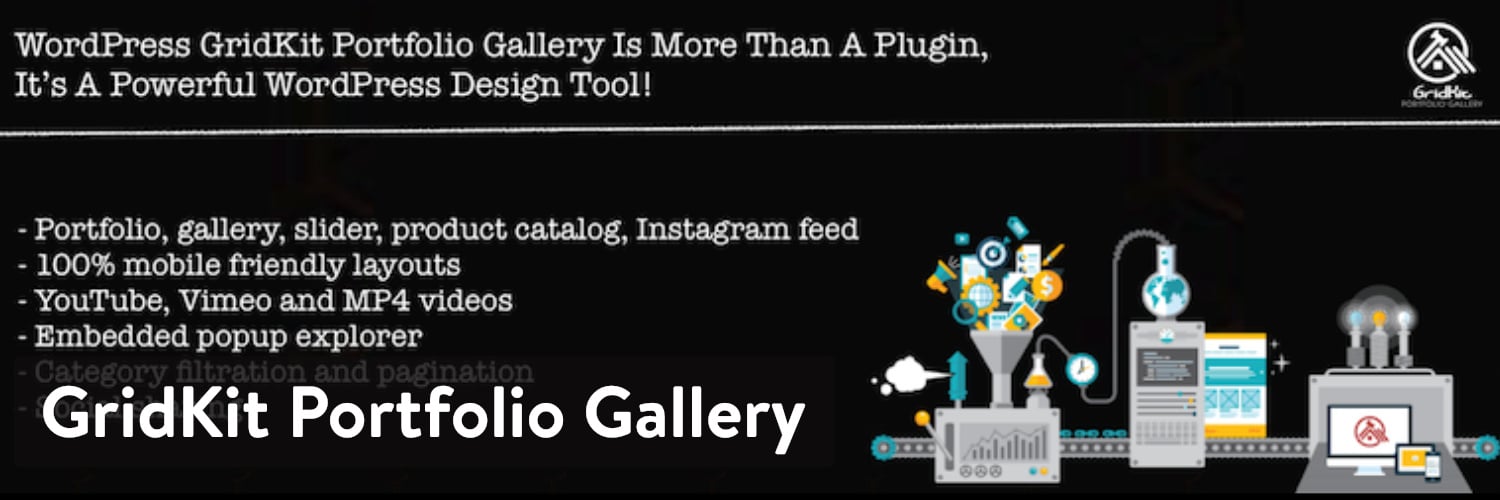
GridKit Portfolio Gallery plugin
Premium starts at $29.99 as a one-time payment, with an optional upgrade for more support after the first year. If you prefer smaller payments, a monthly standard license costs $4.99. That seems a poor deal, though, because six months of it adds up to the one-time price.
There is also the Lifetime Extended License: a one-time $49.99 that covers five websites.
What Makes GridKit Portfolio Gallery Stand Out?
- GridKit is a true premium-grade portfolio plugin, with striking grid layouts and plenty of filters. Often you just upload your videos and end up with something great.
- It ships with a number of ready templates and options, covering portfolios for photos, logos, videos and team members.
- The free version has a decent feature set.
- Animations, hover styles and other effects are all yours to tweak. Built-in social sharing buttons invite clients and visitors to pass your work along.
- Place a portfolio on any page with a shortcode.
- It offers unusual layouts like puzzle and masonry.
- Link your Instagram page and you get an attractive feed.
- A slideshow mode lets visitors watch the portfolio without scrolling or clicking.
- Lazy loading means only images on screen get loaded.
Who Should Pick This Portfolio Plugin?
GridKit is a good choice if you want great-looking ready-made templates. It also works well for less common content, such as client logos or MP3 clips.
Pros
- Several layout types in one plugin
- Shortcode and block placement
- Usable free without a licence
Cons
- Premium layouts and options need a licence
- Upgrade notices appear in the admin
- Fetches promotional banners from the vendor daily
Portfolio Post Type
The Portfolio Post Type plugin handles portfolios in a different way. It creates a custom post type for every portfolio item on your site, so you can organize your work better and give each piece its own categories and tags. It is light and simple, and it starts working right after you install it, with no setup needed.

Portfolio Post Type plugin
This plugin costs nothing and helps developers sort portfolio items fast. Note that it does not change how your items look on the front end. For a nice-looking layout you need a theme or another plugin with good portfolio designs.
What Makes Portfolio Post Type Stand Out?
- Free, with no upsells at all.
- Each portfolio piece becomes its own custom post type entry.
- Every custom post type can carry tags and categories.
- Your design choices stay entirely up to you.
Who Should Pick This Portfolio Plugin?
Developers with big portfolios, or with many client portfolios, will like Portfolio Post Type. It gives you a tidy way to sort and locate portfolio items with little effort. It suits you best if you can code, or if you already own a good portfolio theme or plugin to pair it with.
Pros
- Separate portfolio categories and tags
- Featured image column in the admin list
- Free with no paid edition
Cons
- Theme must supply archive and single templates
- Readme lists testing only up to WordPress 5.5
- Readme stable tag is 1.0.1 with no later release
Visual Portfolio
Visual Portfolio is a free portfolio plugin with a solid user base. It is open source, so there is no upgrade to chase for better features. Its visual builder shows your gallery exactly as it will look before you publish. Working in it feels much like editing a WordPress post, but with a full preview plus settings to change the layout, grab the shortcode and swap the portfolio images.
You can choose from several layouts, masonry among them. Filters and an infinite scroll option let you show as many portfolio items as you like.

Visual Portfolio plugin
Carousels make browsing the gallery easy, and colors plus post types can be customized. Clients often like to see photos bigger, which the popup gallery handles well. Developers can write custom CSS or build templates from nothing.
What Makes Visual Portfolio Stand Out?
- Visual Portfolio is entirely free.
- Developers get room for custom CSS and saved templates.
- The backend shows a visual preview of how the portfolio will look.
- Want a photo collection on some page? Drop in its shortcode.
- Four ready layouts are included: grids, masonry, sliders and tiles.
- Several hover effects look quite professional, such as fade, emerge and fly-in.
- Sorting and filtering work alongside a “Load More” button.
- A popup gallery handles photos plus YouTube and Vimeo videos.
- It integrates with tools like WPBakery and the Gutenberg block editor.
Who Should Pick This Portfolio Plugin?
You get many visual and animation features at no cost, and the output looks close to what paid plugins produce. Pick Visual Portfolio if you want a visual builder for clean portfolios without paying anything.
Pros
- Grid, masonry, justified, tiles, slider and carousel layouts
- Gutenberg blocks and shortcodes for the same layouts
- Filtering and sorting in the free version
Cons
- Search, watermarks, social feeds and proofing need the Pro plugin
- Large plugin with many blocks and patterns
- Pro features are shown as upgrade notes in the free admin
NextGEN Gallery
NextGEN Gallery says it is built by photographers, for photographers. It looks like one of the most downloaded portfolio plugins here. It covers everything from bulk uploads to sorting images. On the front end you can pick from three portfolio styles and customize them: slideshows, thumbnails and image browser galleries, all in the free version.
NextGEN Gallery Plus costs $79 and opens up a large set of extra demos to start from.

NextGEN Gallery plugin
The designs in NextGEN Gallery really are attractive, which makes it a great match for artists and photographers. A simple slideshow works, and so does a grid gallery holding hundreds of images. You manage everything in the backend, with photo naming and metadata support. Customization runs deep too, with settings for thumbnail sizes, slideshow links and hidden images.
What Makes NextGEN Gallery Stand Out?
- Both the free and the paid editions come with good-looking templates.
- Many extensions add extras, such as social sharing for images or image deep linking.
- With templates and bulk uploads, most people can put a portfolio together in minutes.
- Premium brings special layouts, for example a blog feed and a pro photo gallery.
- Lightbox features enlarge images when someone clicks them.
- Some plans include deep linking and comments on images.
- It can connect to WooCommerce so you can sell prints and take payments via PayPal and Stripe.
- You can buy matching themes to pair the plugin with a solid photography design.
Who Should Pick This Portfolio Plugin?
NextGEN Gallery suits artists and photographers who want one of the most attractive presentations around. It also fits anyone who wants a big template library to pick from before designing. All in all, it is aimed at professionals, since it can sell prints, hand out digital downloads and create proofs.
Pros
- Galleries, albums and slideshows at no cost
- Batch upload and media library import
- Gallery and slideshow widgets
Cons
- eCommerce, watermarks and proofing need NextGEN Pro
- Large feature surface for a basic gallery
- Pro upsell and onboarding licence prompts in the admin
Media Grid
The Media Grid plugin does many jobs. It can build photo galleries from your Instagram, or lay out your key portfolio pieces in a stylish column design. Standout features include WooCommerce integration, comments on your photos, and full support for audio, video and images.
You buy Media Grid mainly through CodeCanyon, so there is no free version. Still, the price is a fair one-time payment: $25, plus small extra payments if you want customer support for longer.

Media Grid plugin
As with most premium-only portfolio plugins, nothing important is held back. The $25 gets you the whole package: 10 preset portfolio styles, grid customization tools, and a visual builder that lets you design and preview portfolios before they go live.
What Makes Media Grid Stand Out?
- It is paid only, but the price is very fair.
- Every grid portfolio can use filters.
- It handles images, video and even audio, so a portfolio of sound clips is possible.
- Online stores can connect it, and a comments section can sit under the gallery or portfolio.
- Bring your own media files, or connect the grid to existing pages and posts.
- A visual grid builder previews the whole layout before it goes live on your site. Sorting items and changing their size happens without writing any code.
- Five lightbox styles give each portfolio piece a clear, focused view.
- Embed the gallery anywhere using either HTML or shortcodes.
- It is mobile responsive and supports multiple languages.
- Social sharing buttons under the portfolio help your work reach more people.
Who Should Pick This Portfolio Plugin?
Beyond the low price, Media Grid suits businesses that sell online. Its WooCommerce integration is unusual, and a comment thread under your images lets clients and customers leave feedback.
Pros
- Large thumbnail grid for the Media Library
- Live filter on the grid
- Minimum file size filter
Cons
- Some Media Library editing features are lost while active
- Marked as a work in progress by its authors
- Its readme lists trunk as the stable tag, with no fixed release
Go Portfolio
Go Portfolio combines elegance and interactivity in one portfolio plugin. It costs $26, and support beyond six months costs extra. The designs are varied, with round and square photos on offer. You can add filters to portfolios, and ecommerce integrations let shoppers click through and buy products.
Unlimited colors and format combinations help Go Portfolio give your work some punch, in layouts such as sliders and column-based grids.

Go Portfolio plugin
Its strong effects and animations are another point in its favor. For example, a title with a link can animate into view when a visitor hovers over an item. You can also display an item’s price, or an icon that shows what kind of media it is.
What Makes Go Portfolio Stand Out?
- You do have to pay for it, but the price is very fair for what you get.
- Have a big body of work? Move it in or out in bulk.
- More than 38 starter templates let you skip the code and go live in minutes. Many target specific industries, with galleries and portfolios for restaurants, design agencies and photographers.
- Colors and layouts are unlimited, so you can shape the portfolio any way you like.
- It works with Visual Composer, so you can arrange the portfolio by drag and drop.
- You get two filter styles: one that fades image opacity and a classic isotope one.
- The backend supports custom post types.
- WooCommerce integration lets you arrange and list products in a grid.
- It supports several media types, including audio clips, video and images.
- Thumbnails and lightbox images can be heavily customized by shape, color and size.
Who Should Pick This Portfolio Plugin?
Want deep customization and great-looking results? Go Portfolio is a strong pick. The range of portfolio styles is huge, and thumbnails can change shape, color and position. For a unique, attractive portfolio built with no code, it is hard to beat.
Pros
- Free portfolio theme with custom header support
- Customizer options and recommended gallery plugins
- Jetpack setup included
Cons
- Pro edition is promoted for premium features and faster support
- No built-in portfolio post type; galleries rely on companion plugins
Essential Grid
Essential Grid is probably the best-known portfolio plugin out there. Like several others here, it sells on CodeCanyon, for $34. Check your theme first, though, because the developer often partners with theme makers and it may already be bundled. It is also among the more powerful and complex grid builders, and portfolios are only one of its uses.
Plenty of businesses use it for galleries, product listings and Instagram photos. It is a general-purpose gallery tool that will keep stretching what you can do with images and other media.

Essential Grid plugin
Building a grid starts with a content source, such as Instagram or a WordPress gallery. Next you pick a layout: even, masonry or cobbles. Then you add sorting, filtering and navigation, and near the end you choose a skin.
What Makes Essential Grid Stand Out?
- Of all the gallery and portfolio plugins here, Essential Grid has the most features, and the price stays low.
- Grids, skins and portfolio content can all move between sites through import and export tools aimed at developers.
- A visual skin builder previews portfolio elements in the backend before you publish. Tweak settings such as source, font family and line height.
- Dozens of ready skins are included, many with very different colors, formats and animations.
- Sorting, filtering and navigation are optional.
- There are three main layouts, and changing the column count gives you a custom one.
- Content can come from WordPress, Instagram, YouTube, WooCommerce, NextGen Gallery or a custom source, plus dozens more.
Who Should Pick This Portfolio Plugin?
Few gallery builders are as powerful or flexible as Essential Grid. Developers who want to customize everything without code will love it. It is also a good choice for unusual content sources and attractive templates. Beginners can manage it too, once they get past an interface that looks daunting at first.
Pros
- Seven grid layouts for portfolio and photo galleries
- Images and YouTube or Vimeo videos in one grid
- Placed with a shortcode or a widget
Cons
- Lightbox styling and other options are locked behind Pro
- Readme lists WordPress 5.2.2 as the last tested version
Cube Portfolio
Cube Portfolio sells for $19 on CodeCanyon and includes a live template builder for every gallery and portfolio. Its best feature is the large set of presets, such as eight starter templates and 22 animations. You can customize everything, but the presets do a lot of the work for you.
It sorts galleries and lets you set categories, so clients can filter down to the items that matter to them.
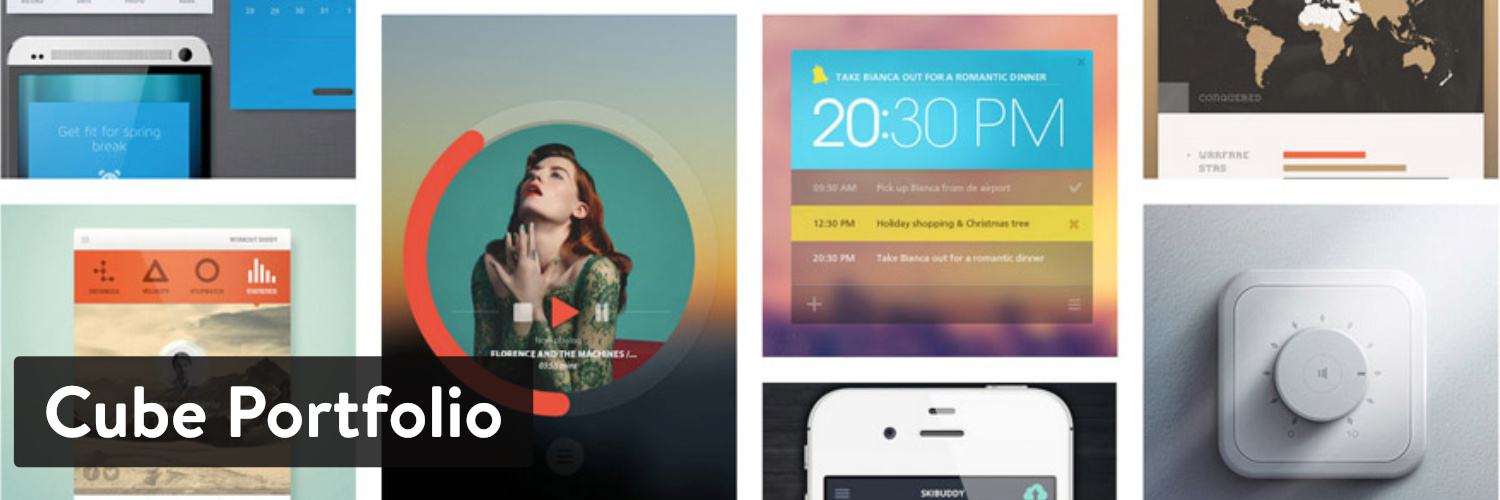
Cube Portfolio plugin
Cube Portfolio handles many media types: images, YouTube, Vimeo and self-hosted video. A live template builder spares you code and fiddly settings. More than 22 animations help your work catch a client’s eye. Popular layouts include sliders, masonry, lightbox galleries and blog posts.
What Makes Cube Portfolio Stand Out?
- Lots of templates give you a head start and help you land on a professional result.
- The visual builder lets you customize every part of the portfolio, including fonts, colors and dimensions.
- Unusual layouts are part of the set, for instance a team page and a grid fed by your latest blog posts.
- CSS3 animations make the gallery feel lively and interactive without slowing your site down.
- Explain each project to clients with one of 14 animated caption styles.
- There is a Load More button, plus optional lazy loading to speed up your site.
Who Should Pick This Portfolio Plugin?
Pick Cube Portfolio when a standard gallery feels too plain and you want a less common format, or when you need a grid built around one slice of the business, like a Meet the Team page.
The Grid
The Grid costs $29 and offers advanced tools that make very visual portfolios easy. Bloggers, agencies and online stores should all find it simple to put to work. Its skin builder resembles Essential Grid’s, with lots of settings for colors, fonts and line height. A drag-and-drop visual builder lets you move and resize modules freely.
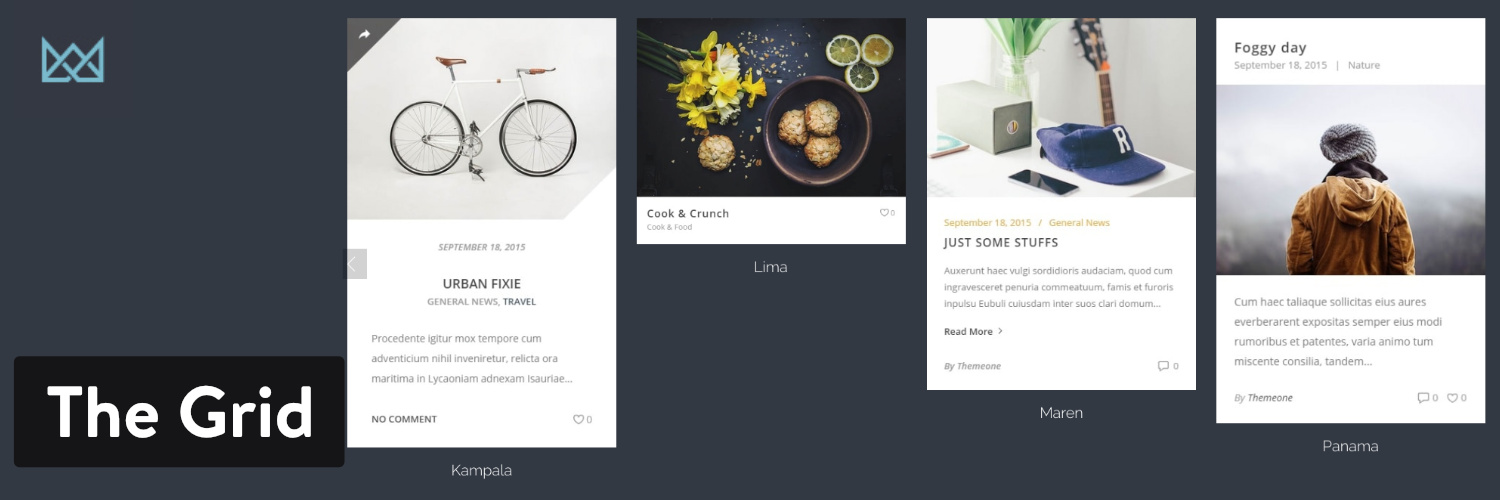
The Grid plugin
It is also a good pick if many of your visitors browse on phones. A real touch slider, responsive and offered in several formats, makes swiping easy. With WooCommerce support and over 30 unique preset skins, The Grid is a safe bet for an online portfolio.
What Makes The Grid Stand Out?
- Given how many features it packs in, The Grid is a cheap plugin for the money.
- Drag, drop and resize portfolio items in the visual builder.
- Portfolios can span up to 12 columns, styled with over 30 skins and dozens of animations.
- It pulls from many streams, including YouTube, Twitter, Flickr and Instagram, and of course from your blog posts.
- Shops running WooCommerce can display product galleries, links included.
- It plays well with third-party premium plugins like Cornerstone, Shortcode and Visual Composer.
- Want to reuse a template later, or pull in content you already have? A single click handles both export and import.
Who Should Pick This Portfolio Plugin?
It fits nearly any business. Put in the hours and, much like Essential Grid, it will produce almost any gallery or portfolio. The backend may scare newcomers at first, yet developers tend to enjoy it and most people adjust with a little time.
Pros
- Updated in September 2026
Cons
- Paid only
- Older versions have a known remote code execution flaw
Envira Gallery
The Envira Gallery has something of a cult following, thanks to responsive photo and video galleries that need no code. It is paid only, so you must pick a plan. The basic plan costs $29 and includes most features plus a year of support. Higher packages add things like watermarking, eCommerce and social sharing.
The core plugin lets you add your own CSS, build slideshows and block photo downloads. The downside is that the basic gallery lacks some features other plugins treat as standard, like albums, video support and Instagram integration, unless you upgrade.

Envira Gallery plugin
Envira Gallery exists so you can launch a striking portfolio without writing code. You do have to buy one of the higher plans (up to $99) for the full set, but it includes features that are hard to find elsewhere, like Dropbox import, EXIF data and deep linking.
What Makes Envira Gallery Stand Out?
- It offers unusual tools for people who want customization right away, such as image scheduling, watermarking and pagination.
- Instagram integration pulls in your posts, so the portfolio stays current without manual updates.
- The core plugin includes slideshows, image protection and unlimited galleries.
- Photographers who need to guard and label their shots get watermarks, photo locking, tags and EXIF data for the job.
- Options include videos, eCommerce, deep linking and social sharing.
Who Should Pick This Portfolio Plugin?
Artists and photographers will like Envira Gallery’s photo protection and data tracking. It is not the cheapest or the simplest plugin, but its feature list is hard to top.
Pros
- Drag and drop gallery builder that needs no code
- Shortcode and block placement on any page
- Galleries are stored as their own editable post type
Cons
- Albums, video galleries and watermarking need the Pro version
- Onboarding can pass an email address to the vendor's mailing list