Building an awesome website can be complicated, even if you’re an experienced developer. Some platforms make the process simpler – such as WordPress – but they still require you to put in a lot of work. That’s where WordPress page builders come in.
Page builders are tools that enable you to put together websites in record time, by providing you with pre-built elements you can arrange in any way you want. You can insert them into your pages, move them around, and see the effects immediately.
In this article, we’re going to talk about what page builders do and why you might want to use one. Then we’ll introduce you to five of our favorite options, and compare them to help you pick the right one. Let’s get started!
| Product | Best for | Price | Rating | Active installs |
|---|---|---|---|---|
| Elementor | Most sites, the popular choice | Free + paid | 4.5/5 | 10M+ |
| Brizy | Visual editing without code | Free + paid | 4.7/5 | 60,000+ |
| Beaver Builder | Agencies handing sites to clients | Free + paid | 4.7/5 | 100,000+ |
| Page Builder by SiteOrigin | A free builder with a familiar interface | Free + paid | 4.8/5 | 400,000+ |
| Themify Builder | Animated layouts | Free + paid | 3.9/5 | 6,000+ |
| Divi Builder | Elegant Themes members | Paid | ||
| Oxygen | Building the whole site, header included | Paid | ||
| Visual Composer | Sites with a theme that bundles it | Paid | ||
| Live Composer | A free front-end builder | Free | 4.4/5 | 10,000+ |
| MotoPress | Replacing the default editor | Paid | ||
| Thrive Content Builder | Marketing pages and landing pages | Paid |
Elementor
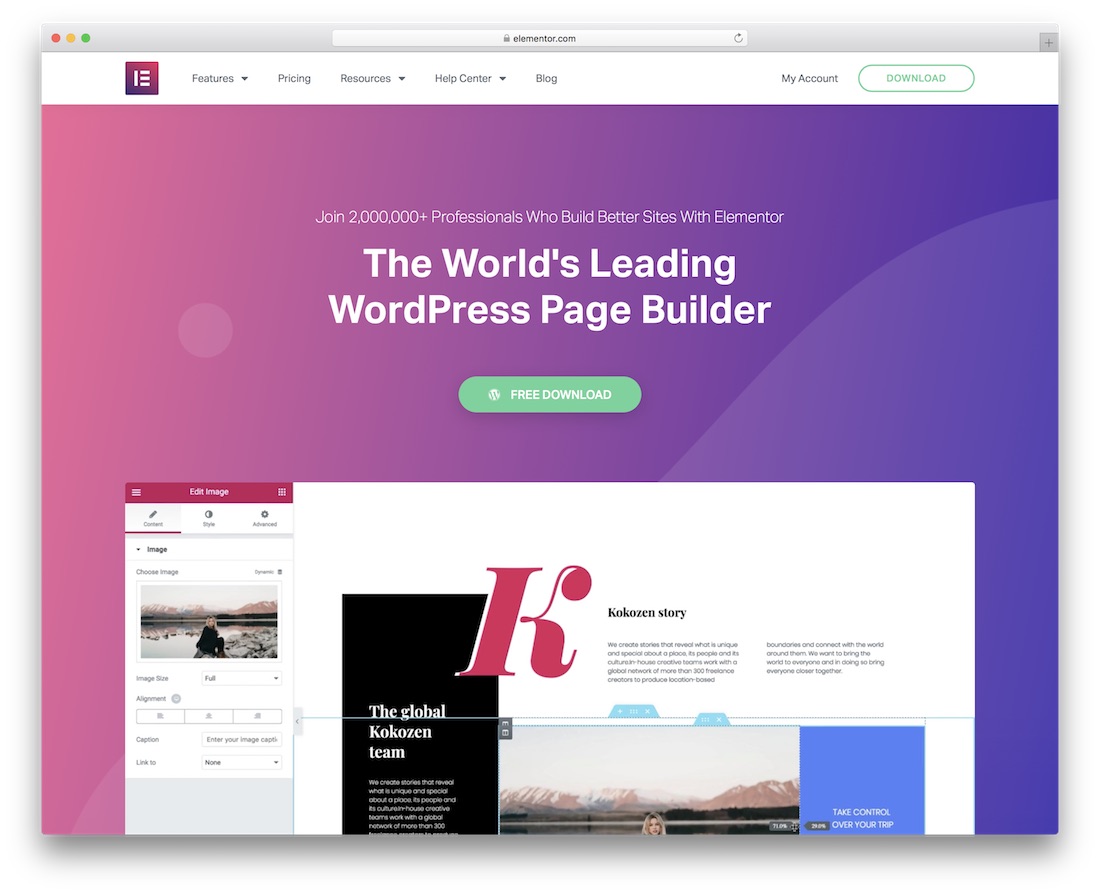
With millions of users, Elementor surely is one of the most popular WordPress page builder plugins. In short, the limits truly are none when it comes to this drag and drop website editor. From simple business websites, blogs, eCommerce pages, online portfolios and all the rest in between, you can craft all without a sweat. Elementor is here to make your lives a whole lot simpler and enjoyable. With the tool, you can now have your entire web space under total control. Building, managing and maintaining a website with Elementor will be a piece of cake.
Elementor is an all-in-one answer to all your web design questions. Along with the main layout builder, Elementor also includes a nifty pop-up builder for subscriptions and other special deals and announcements. Last but not least, all your masterpieces will follow the latest trends and regulations. Meaning, the layouts will be mobile-ready, flexible, cross-browser compatible and retina-friendly. Get creative now with Elementor.
Pros
- Drag-and-drop editor for any kind of site
- Popup builder
- Mobile-ready layouts
Cons
- Popup builder and many widgets need Pro
Brizy
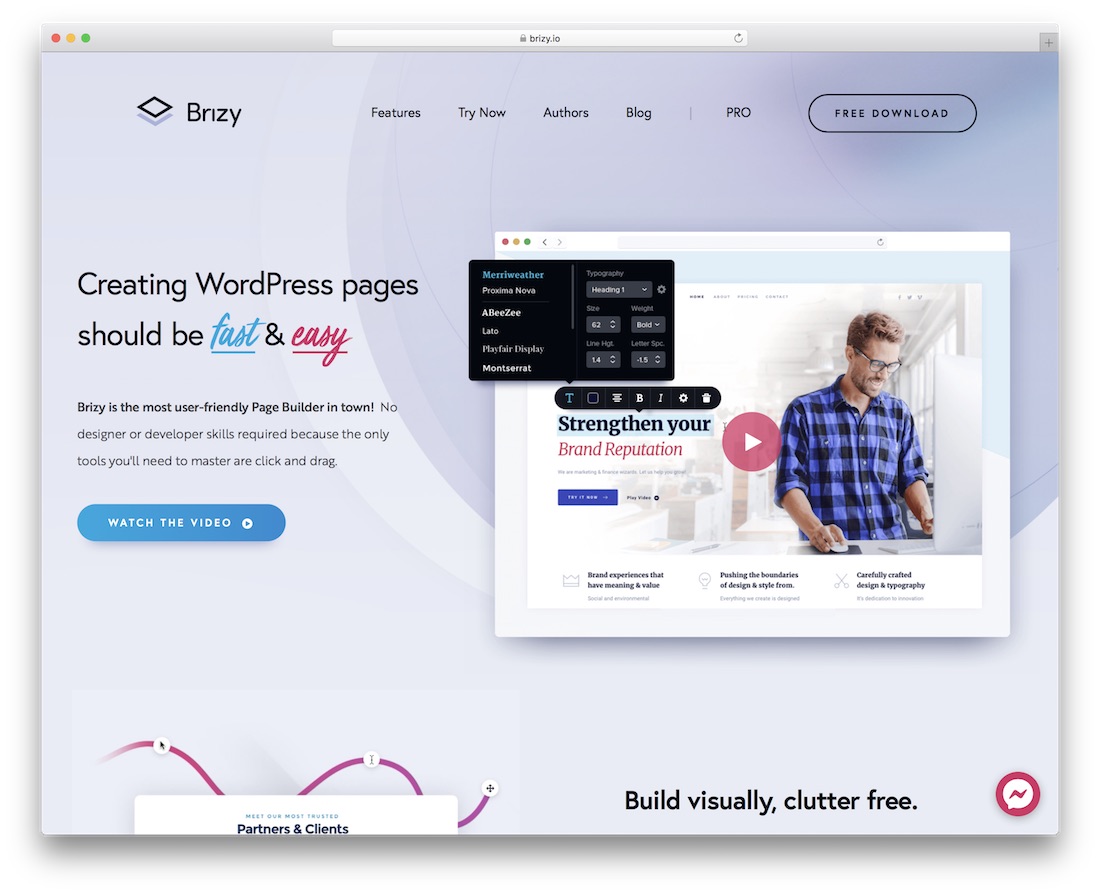
First and foremost, no matter which drag and drop page builder you choose from this collection, you need no prior experience. You do not have to be a coder, and you do not have to be a designer. With the help from these spectacular tools, you will unleash your inner creative animal which will help you bring into being any website you want.
Another amazing, easy to use and fast plugin is Brizy. While you needed to spend long hours behind the dull code to create pages, with Brizy, you code visually. No need to change a single string of code again. Brizy comes with more than 150 ready-to-use blocks which you can mix and match however you see them fit your needs best. There are also features like undo and redo, auto-save and loads of excellent design elements, like icons, texts, maps, images and so forth. Get a thrill out of making a website with Brizy.
Pros
- 150+ ready-to-use blocks
- Edit text and design right on the page
Cons
- Many blocks and features need Pro
Beaver Builder
With over 85,000 users, Beaver Builder is popular with the WordPress community. With this plugin, you can see your website taking shape even as you build it using the live interface. A helpful demo will help you get familiar with the interface in a matter of minutes.
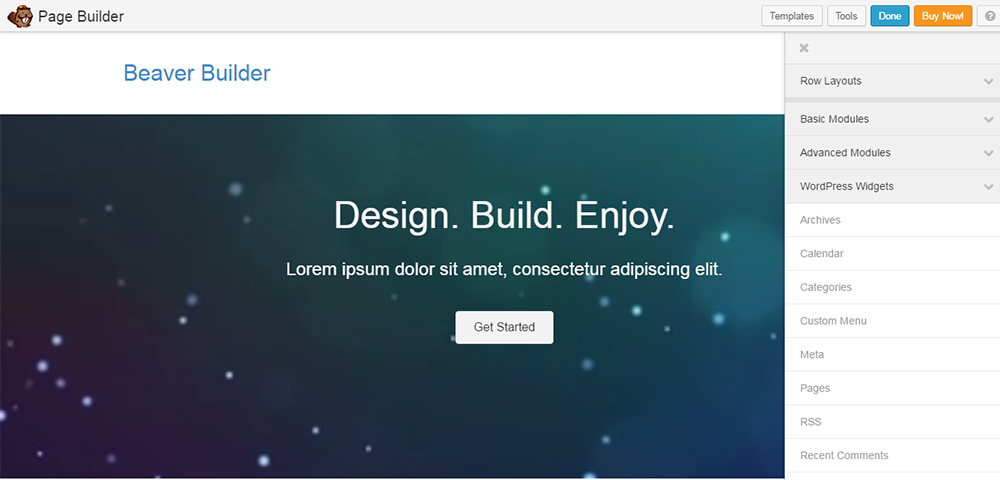
Pick a blank template, and start from scratch. Or choose a pre-made layout and go ahead and customize it. Make columns, adjust spacing, and add backgrounds by dragging and dropping into the layout. Choose which modules you need from among the basic modules: text editor, video, separator, heading, HTML, audio, and buttons.
Edit the rows and columns with the help of the action buttons. The action buttons can help you do a lot of things, like duplicating a layout, editing the settings for any particular layout, or adjusting global settings. You can add additional content from the content panel.
Users can save a great deal of time working with this plugin. Developers can hit the ground running with projects and leave some flexibility for clients to change pages the way they want.
The plugin supports shortcodes and widgets, so you can work comfortably with other plugins. New templates can be appended to appear at the end of the existing ones. Save your work and use it immediately or keep it for future use.
If you discontinue the plugin, your content will be saved in the WordPress Editor.
Beaver Builder is a full fledged design system that packs a plugin for page building and a theme framework. It comes bundled with the Beaver Builder theme in the Pro and Agency Pack which are tagged at $199 and $399. The Standard Pack at $99 will not include the theme or multisite capability. The Builder can be used on any number of sites. For updates and support, you will have to renew the license after a year (at discounted rates). If you think that is steep, you can try the Lite version from the WordPress repository before you make up your mind.
Pros
- Live front-end building
- Content stays in the WordPress editor if you stop using it
- Unlimited sites on every paid plan
Cons
- The theme and multisite need the Pro or Agency plan
Page Builder by SiteOrigin
Page Builder by SiteOrigin is a free plugin that has over 800,000 active installs. Is your website accessed more from mobile devices ? No matter, the columns and rows you add using this page builder will size down perfectly to mobile devices. The interface will be familiar to WordPress users, as it is fashioned to appear just like WordPress. So, you are in a familiar environment. You can access the plugin from under Settings in WordPress.
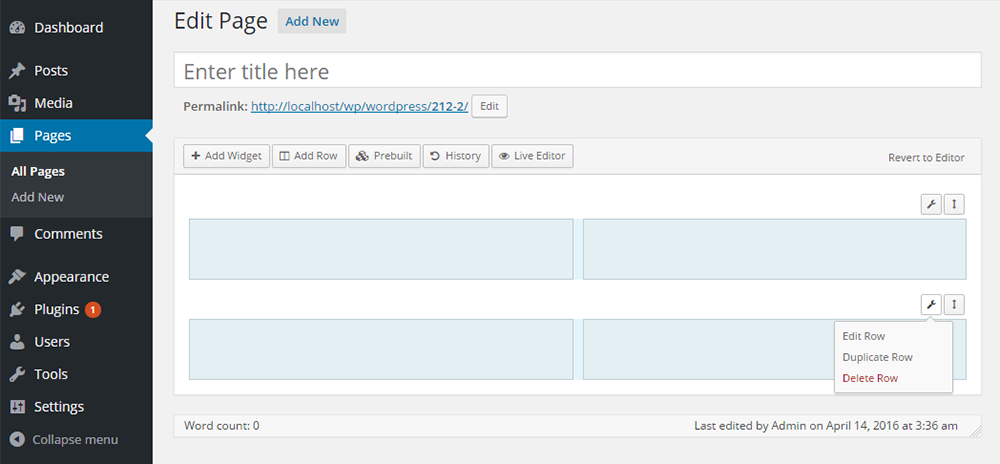
I tried the plugin, and installation and activation were completed in a jiffy. Open a New Page and you will see an additional tab, Page Builder. Click on it and the Page Builder interface will open up. You can continue building as the interface is intuitive, but if you need help, access the documentation on SiteOrigin. The Live Editor made it possible for me to see the rows and columns appear right before my eyes even as I added them.
Besides allowing you to use WordPress widgets, a great number of widgets is available to you from the Widgets Bundle. This page builder works with all standard themes. This means that even if you change themes, all your content will be ported into your new theme. In case you are nervous about making changes, you can take comfort from the history browser, which will allows you to scroll through the changes you made. You can then make your way back or change track, clicking Undo and Redo at will.
Pros
- Free, with responsive rows and columns
- Uses WordPress widgets
- History browser to undo changes
Cons
- Many widgets come from a separate Widgets Bundle plugin
Themify Builder
All the themes from Themify have the built-in Themify Builder. You can purchase Themify Builder as a standalone plugin for $39, and it works well with all standard WordPress themes. Building your pages visually by simple selection and drag-and-drop without any code is quite satisfying with this plugin.
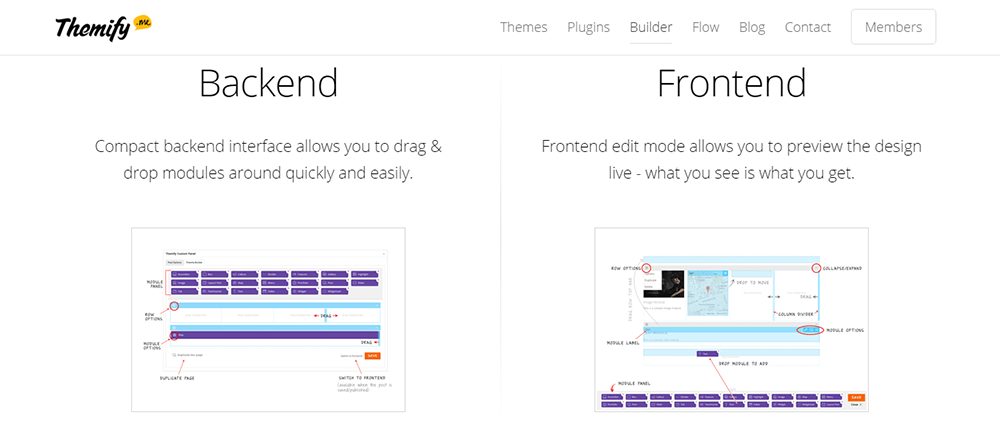
The building is possible both from the front-end and the back-end. The plugin is optimized for performance, with the resources being loaded only if called into action. It is responsive, SEO-friendly, and translatable and supports multisite. Purchase add-ons like Pricing Tables and Tiles separately.
If you do not feel up to building a page, you can import a pre-designed layout, replace text and images, preview, save and be done. But if you are willing to experiment a bit, you can start with a blank template and build as you go. Whichever you choose, you can have your fully designed page in minutes. And if you like it a lot, you can simply copy/ paste the modules to create another layout, without having to do the whole work all over again. Themify Builder is one of the few plugins that allows you to nest a column within a sub column.
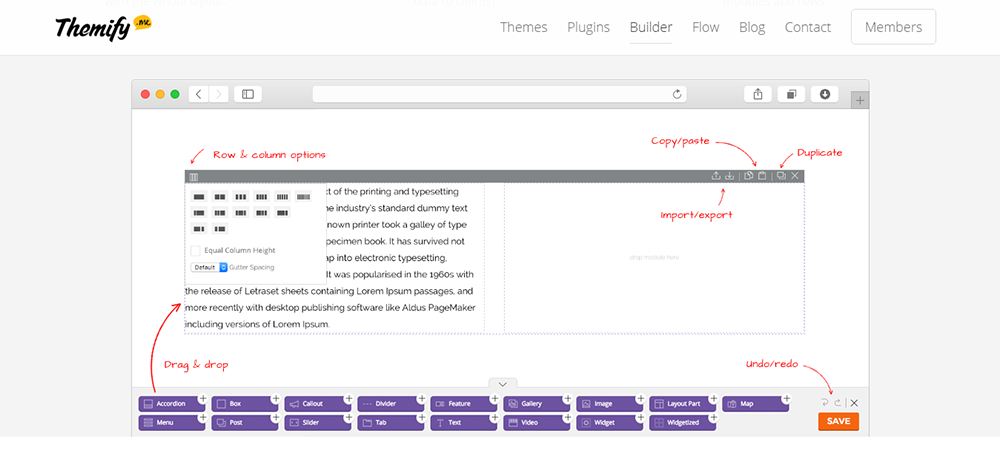
The option to undo and redo allows you to get a little adventurous with your page building. You can arrange rows, subrows, columns, and subcolumns any way you want, and they will all be responsive. You can bring 60+ animation effects into the viewing area. Further, you can style every aspect of your page: color, fonts, background, parallax scrolling, row overlay, and more. Text Editor supports HTML and shortcodes.
If you have any hesitation into taking the plunge with this plugin, you can take comfort from the fact that it comes backed by a 30 day money-back guarantee, no questions asked. The plugin does a great job, but it takes a bit of learning.
Pros
- Front-end and back-end editing
- 60+ animation effects
- Loads its resources only when used
Cons
- Takes some learning
- Add-ons like pricing tables cost extra
Divi Builder
This plugin list would be totally incomplete if I did not include Divi Builder Premium plugin from Elegant Themes. You can join more than a quarter million customers who are Elegant Themes members and have access to the entire set of themes and plugins from them. The Personal Package will give you access to all the themes for $69. For all themes plus all plugins combo, you will have to choose from Developer or from Lifetime Access Packages for $89 and $249 respectively.
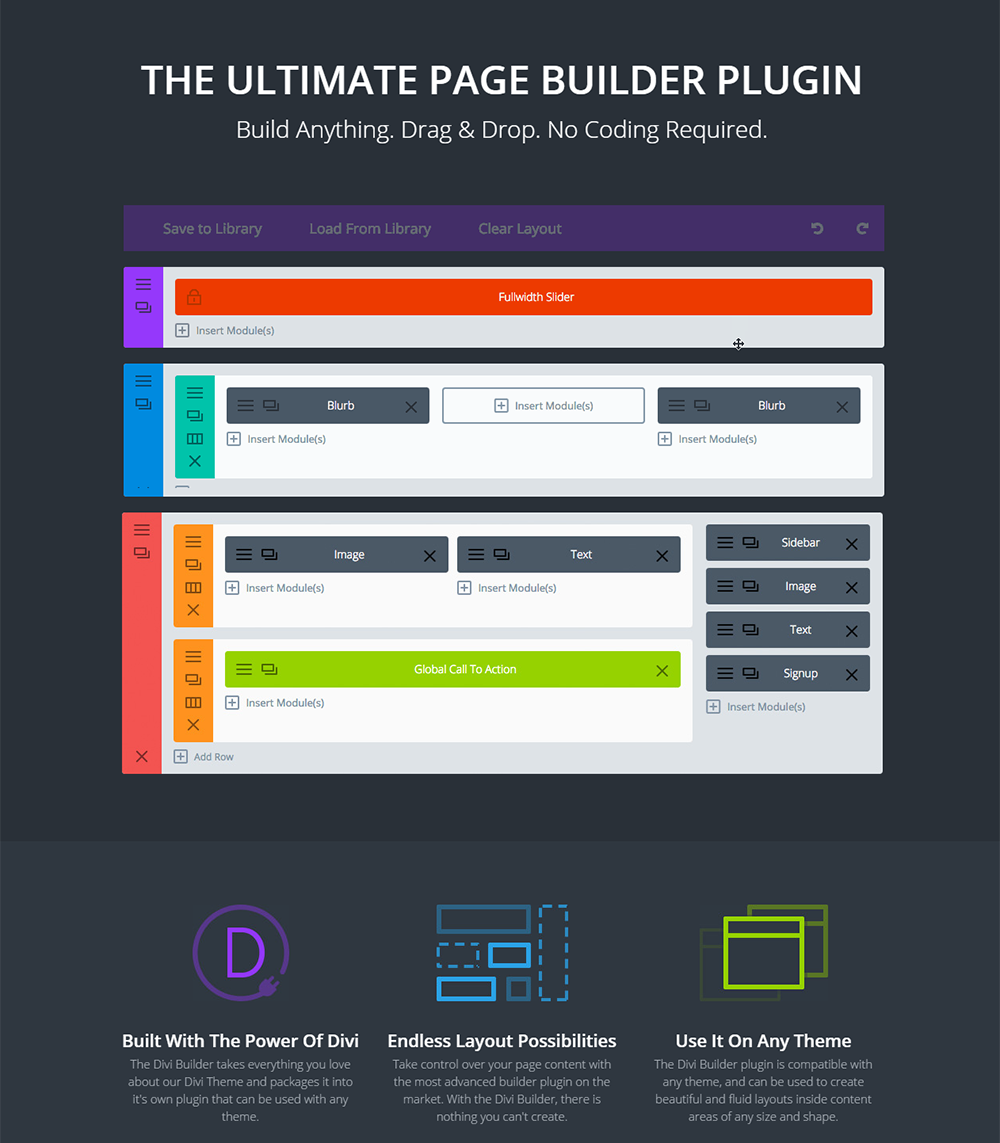
Divi Builder is a standalone drag-and-drop page builder that works with any WordPress theme. This plugin has 46 content modules or building blocks, and you can arrange them any way you like to build your website. The advanced design settings will give you complete control of every aspect of your layout. A great level of customization is possible. You can also choose from 20 ready-made layouts.
With Divi Library, you can save all your pre-made layouts and content builder elements. You can call upon this at any time and add it to new pages instantly. If you save an item as a global library item, you can add it easily to all your pages. Selective addition is also possible. Using CSS and the advanced design settings, building templates is much faster and more innovative. When you start on a new project, simply import from the library and make changes. This is easy because you can access the library from all pages.
Pros
- 46 content modules
- Divi Library for reusable layouts
- Works with any theme
Cons
- No free version
Oxygen
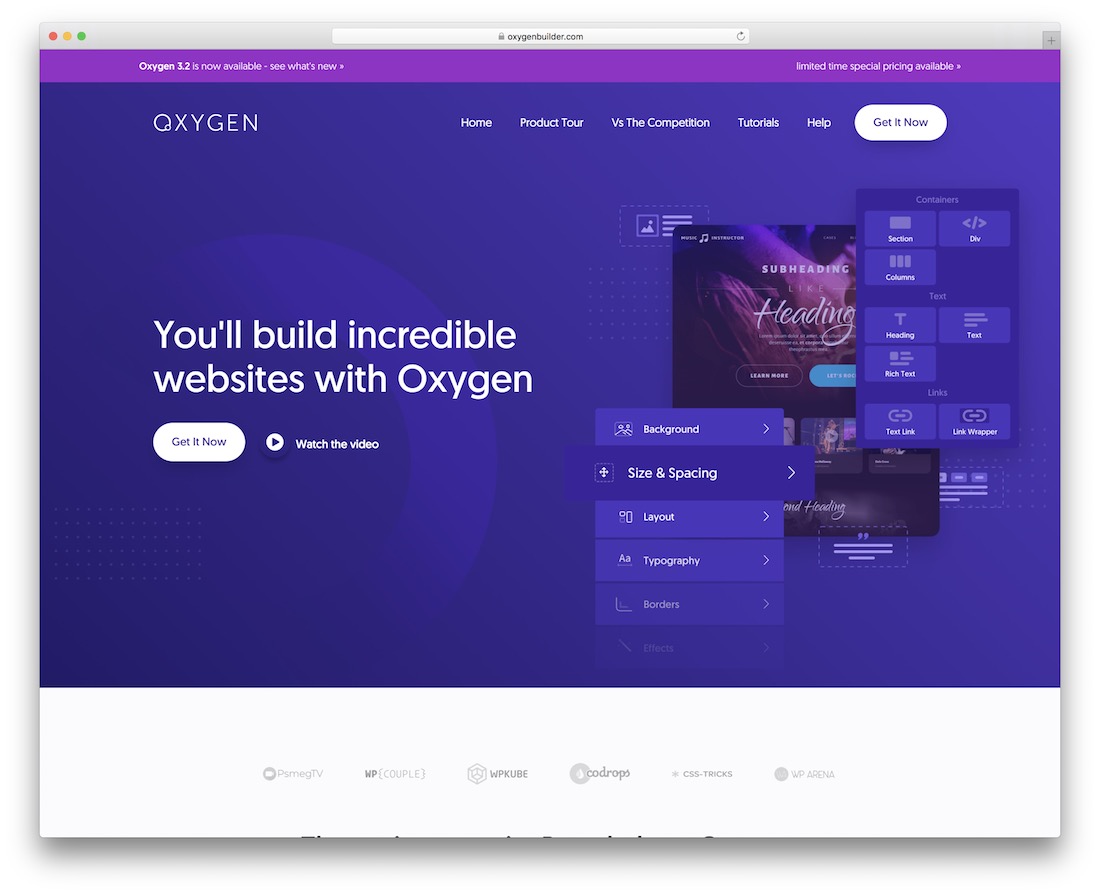
In this day and age, all you need are mouse or trackpad skills, and you can build pretty much any website that you fancy. Thanks to any of the WordPress page builder plugins that you find on this list, you can start making some noise in the snap of a finger.
Another remarkably impressive alternative is Oxygen. This tool offers you all and everything to get the ball rolling and turn your ideas into modern websites. Whether it is a blog, a corporate website or an online store, Oxygen is compatible with all for your convenience.
Thanks to dragging and dropping, newbies and experts can both realize a striking outcome that will turn heads. There is even a header builder included in the bundle, for you to modify it exactly how you like it.
Pros
- Header builder included
- Blogs, business sites and stores
Cons
- No free version
Visual Composer
With over a million purchases, Visual Composer is a top ranked page builder WordPress plugin. You can purchase the plugin for $34 from WP Bakery, but before you purchase, do check your theme. Many premium themes bundle this plugin as a built-in feature.
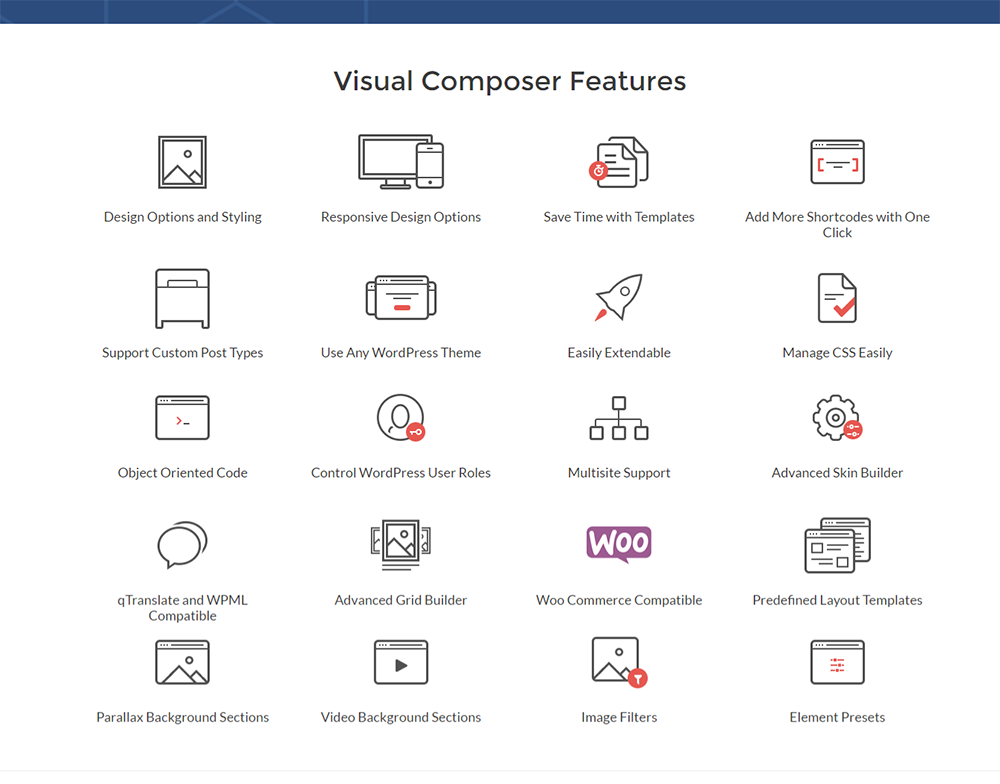
Sixty predefined layouts and over 40 unique grid design templates will help you start your page building. Over 40 content elements are at your disposal, and creating your own content elements is possible. You can use front-end and back-end editors and switch from one to the other with just a click of the mouse. You can also preview how your page will appear on different devices, copy the pages, and save templates for later use.
The Skin Builder and the many styling options will help you to build a page that reinforces your branding. You can add a Parallax-type background and YouTube videos. To optimize performance, you can load only the JavaScript files used on the page.
The plugin is developer-friendly, and you can use CSS to modify the layout wherever required. If you find it difficult working with code, attempt customizing with the Shortcode Mapper. A number of third-party add-ons that extend functionality are available for separate purchases. You can also add your own shortcodes by inserting them in the themes functions.php.
Life time free updates are provided.
Pros
- Front-end and back-end editors
- 40+ content elements and grid templates
- Skin builder for branding
Cons
- Bundled copies in themes may not get updates
- Now sold as WPBakery Page Builder
Live Composer
Live Composer is an open source plugin and the fully functional version is available for free download in the WordPress directory. The team offers exceptional support, including free one-to-one email support. Fill up a form, and you can get free advice from the team as well. The plugin has been around for two years now, and the developers claim that they have fixed all the major bugs.
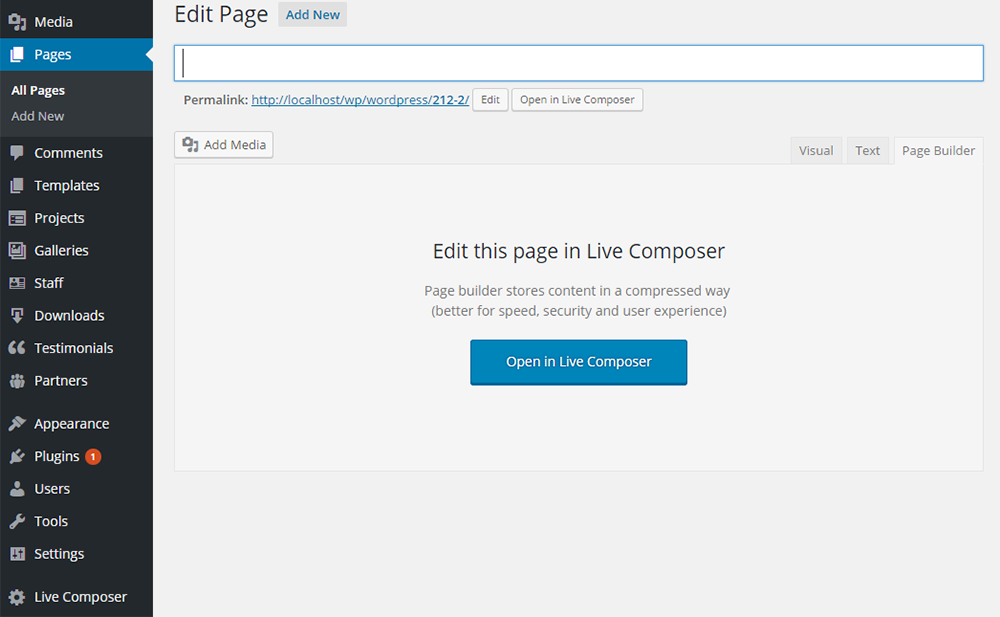
Use this plugin for front-end page building with a simple drag-and-drop. With hardly any technical skills, you can build beautiful WordPress pages and customize every element. Perfectly responsive modules are available for building. Once done, you can export any section of the page or the whole page. You can save it for future use as well.
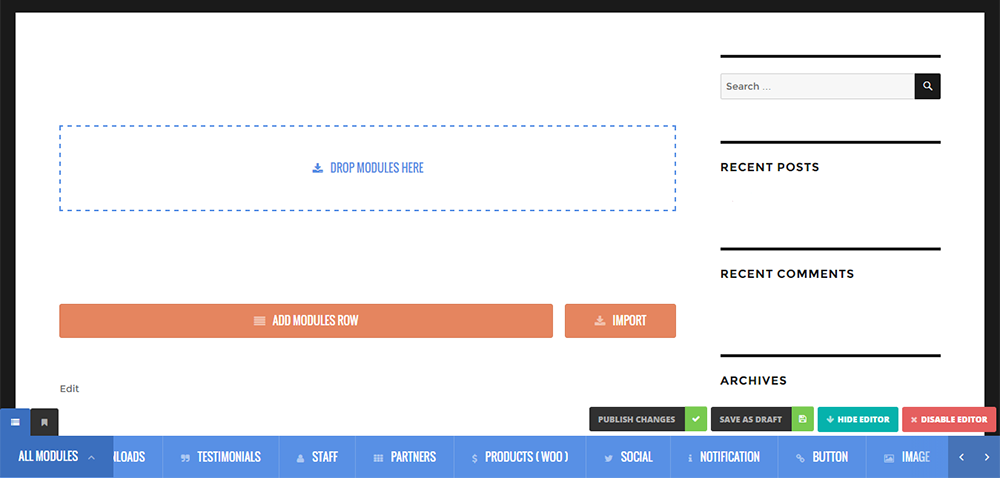
Once downloaded and installed, the plugin will add a tab to your page. You can open the page using Live Composer and go about making your page. It takes some time to familiarize your self with the interface. Add multiple elements like images, social icons, buttons, notifications and more as you go about making your rows and columns.
You can deactivate this plugin without the fear of leaving behind a load of junk shortcodes.
Pros
- Free and open source
- Export and reuse sections
- No leftover shortcodes after deactivation
Cons
- The interface takes time to learn
MotoPress
MotoPress is a frontend page building plugin that replaces the default editor of your WordPress. Stylish websites are easy to build using the user friendly interface. Once installed, you can access it under Settings in WordPress. The plugin is fairly easy to use, but you can use the video tutorial and the demo to become familiar and even create a trial website, before you can decide to make a purchase.
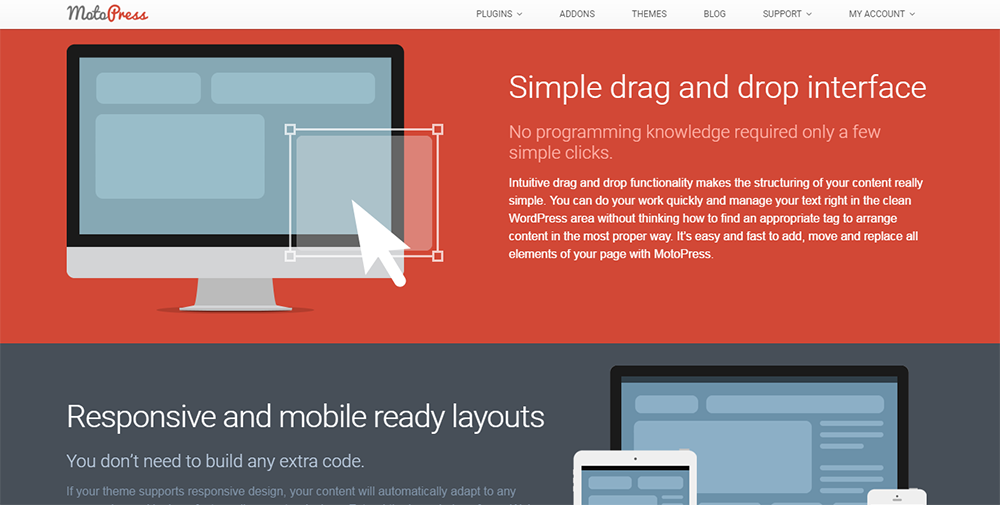
MotoPress is compatible with all standard WordPress themes, and you can extend it with your own shortcodes. It is multisite and WPML compatible, and it includes files for easy translation. The content library includes text, buttons, image galleries, videos, and more, allowing you to build complex, engaging layouts with hardly any programming skills.
A personal license for one website, costs $29, a business license for use on five websites costs $47, and a developer license for unlimited websites costs $139. The license also offers one year of support and free updates.
Pros
- Front-end editor with a content library
- Multisite and WPML compatible
Cons
- The free lite version is no longer on wordpress.org
Thrive Content Builder
This page builder will allow you to witness page building happening on an actual WYSIWYG basis. Not just outlines and representations of what your page will finally look like, but actually what it will look like – as your reader sees it. You do not have to click on any Preview button to see the progress your page is making.
To see how your pages and posts will appear minus the plugin controls, you will need to use the preview mode. However, for all other purposes, you pretty much see your pages and posts as they will finally appear. The Content elements in this plugin have clear business purposes. The plugin is fast, and page building becomes an enjoyable task.
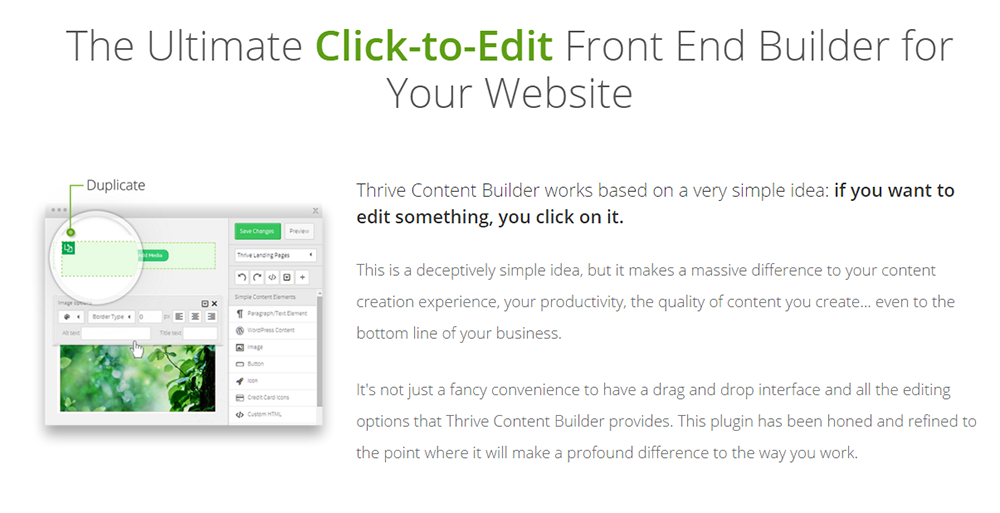
With Thrive Builder, you can edit anything that is in the theme’s content area. However, you cannot edit your sidebar or header. To override your theme, you will have to use Thrive Landing Pages feature. What Thrive Builder helps you do is, create posts and pages with advanced content and layout.
The license packages vary between $49 per month to a one-time purchase cost of $67. Bundled with the plugin is a full suite of ready-made landing pages.
Pros
- True WYSIWYG editing
- Elements built for business goals
- Ready-made landing pages included
Cons
- Edits the content area only, not header or sidebar
- Now called Thrive Architect
Elementor, Beaver Builder, Brizy, SiteOrigin and Themify Builder have free versions on wordpress.org, and Live Composer is fully free.
It depends on the builder. Beaver Builder leaves your content in the WordPress editor, and Live Composer leaves no shortcodes behind. Others can leave layout code in your pages.
Divi Builder, Oxygen, Visual Composer (WPBakery), MotoPress and Thrive Content Builder have no free version in this list.
Thrive Content Builder (now Thrive Architect) comes with ready-made landing pages and elements built for marketing goals.