You do a lot to keep your website secure. You make sure WordPress stays updated, you install the latest version of plugins and themes, and you have Sucuri. But, they all are preventive measures.
Having backups is important as it is the only way of recovery if your website gets trashed by a hacker. Obviously, it will be faster to restore from a backup than recreating the entire website again.
So, be safe. Make copies.
How to Create Backups on WordPress?
Well, there are two ways: Manual Backups and Plugin Based Backups to backup your site. Manual backup is a great solution but requires a bit of expertise. If you keep an eye on plugins, then using one for backups is not a bad idea. Many plugins come with automatic settings that can be used for creating copies without human help.
| Product | Best for | Price | Rating | Active installs |
|---|---|---|---|---|
| UpdraftPlus | Free backups to cloud storage | Free + paid | 4.8/5 | 4M+ |
| BlogVault | Large sites that need off-site backups | Free + paid | 4.6/5 | 80,000+ |
| Snapshot Pro | WPMU DEV members | Paid | ||
| VaultPress | Jetpack users | Paid | 3.8/5 | 10,000+ |
| Duplicator | Moving a site to a new host | Free + paid | 4.9/5 | 1M+ |
| CYAN Backup | Frequent scheduled backups | Free | 4.1/5 | 300+ |
| BackWPup | Full backups to external storage | Free + paid | 4.0/5 | 400,000+ |
UpdraftPlus
If there had been a plugin that I wished WordPress could couple with its installer instead of Akismet and Hello Dolly, then UpdraftPlus would have been my top choice. With more than a million active installs and almost perfect rating (4.9 out 5 stars), it’s the perfect one to have.
With UpdraftPlus, you can store your copied files on the cloud as the plugin supports Amazon S3, Dropbox, and Google Drive. You also have the option to store backups on a server of your choice through FTP transfer.
UpdraftPlus Pricing: Free (UpdraftPremium Personal for $70 “Up to 2 sites“)
The plugin has a premium version for which you have to pay. With the paid version, you get more storage options, like Microsoft OneDrive, SCP, WebDAV, and OpenStack Swift) along with a dedication 1GB space on Updraft Vault. Secure FTP, cloning, and remote transfer features are also included in this feature. Email and forum based support is available. The price depends on how many site you’re planning to use it and varies between $70 and $145.
Pros
- Backups to Amazon S3, Dropbox, Google Drive or FTP
- Scheduled backups and restores
- Cloning and migration in Premium
Cons
- OneDrive, WebDAV and more storage options need Premium
BlogVault

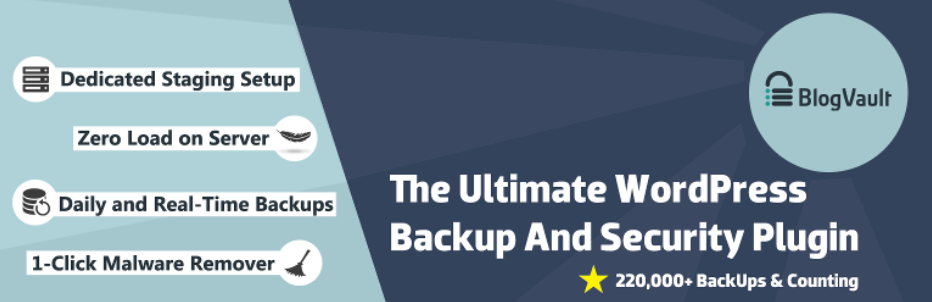
This one’s paid, but it comes with excellent support. Currently with a 4.5 star rating, blogVault has a small learning curve but it’s worth it. The plugin offers automated daily backups the way you wanted. The service keeps offsite copies; therefore, you do not to worry losing about your copies. The plans start from $9 per site and there are unlimited plans too with storage capacities
Most efficiently, you get email-based support. Last but not the least, the service provides incremental backups for huge websites.
Pros
- Automatic daily backups
- Copies kept off-site
- Incremental backups for big sites
Cons
- Small learning curve
- Most features need a paid plan
Snapshot Pro

Sometimes, you get really good stuff outside the official WordPress repository. When it comes to backups, then this WordPress backup plugin from WPMU DEV is perhaps the best in the industry. Snapshot Pro creates manual and automatic full-site copies to both local and cloud servers. This helps when you experiment.
The local backups allow you to undo a change quickly while you do not have to fear any data loss as a copy is simultaneously being stored on WPMU DEV Hub, a cloud-based off-site storage. For now, each account gets 10GB of space. You also get additional cloud storage choice. You can download copies through FTP or SFTP.
Their claim of having a Time Machine for your website is quite true. The plugin works like an efficient backup system with granular controls.
Pros
- Manual and automatic full-site backups
- Off-site copies on WPMU DEV Hub
- Download copies by FTP or SFTP
Cons
- Needs a WPMU DEV membership
VaultPress (with Jetpack)

This is a service that comes directly from Automattic Inc., the force behind WordPress and Jetpack. Now, to use VaultPress, you need to install Jetpack and then subscribe to a plan. For as little as $3.95 monthly, you will get a topnotch backup and security service where the copies are stored at an off-site location. If you wish, you can download a copy from the WordPress admin.
Pros
- Off-site backups by Automattic
- Download a copy from the WordPress admin
- Includes security scanning
Cons
- Needs Jetpack and a paid plan
Duplicator

Duplicator is one of the most downloaded WordPress backup plugins with more than 900,000 active installs. The plugin has a 4.9 overall rating and there is are solid reasons behind that. The plugin not only backs up your data, but also duplicates your entire website from one location to another. It is extremely useful in the event of primary website failure.
However, the plugin requires some technical knowledge. So if you are not sound in development and other technicalities, you might want to hire a professional to get the best out of this plugin.
Pros
- Backs up and copies a whole site
- Migration to another location or host
Cons
- Needs some technical knowledge
CYAN Backup

Yet another underrated backup plugin that is super effective for your backup needs. CYAN Backup supports hourly, daily, weekly, and monthly backups. If you are looking to make backups of your website after a few hours, then this plugin is for you. The plugin also allows you to specify which data you want to or don’t want to backup.
Pros
- Hourly, daily, weekly or monthly schedules
- Choose what to include or leave out
Cons
- Small user base
BackWPup

A popular backup plugin with more than 500,000 active installs. The plugin saves your complete installation including the content and creates an external backup on Dropbox, S3, FTP and more. The restoration is super easy where you only need a .zip file.
BackWPup is free but the developer suggests that the free version will not be as effective as the pro version. The pro features include backups to Google Drive and Amazon Glacier.
Pros
- Backs up the complete installation
- Dropbox, S3 and FTP destinations
- Restore from a single .zip
Cons
- Google Drive and Amazon Glacier need Pro
No longer available
- BackupBuddy
UpdraftPlus is the most widely used free option and stores backups in the cloud. BackWPup, Duplicator and CYAN Backup are also free on wordpress.org.
Off the server, so a hacked or failed host does not take the backups with it. UpdraftPlus and BackWPup send them to cloud storage, and BlogVault, VaultPress and Snapshot Pro keep off-site copies for you.
Duplicator copies an entire site to a new location. UpdraftPlus Premium also includes cloning and migration.
Not for most small sites: the free versions of UpdraftPlus and BackWPup do scheduled backups. Paid plans add more storage options, incremental backups and support.