Does your inbox keep filling up with the same few questions, again and again?
That happens to almost anyone who sells something. Buyers often have doubts or want to check a detail before they commit.
The fix is simple: give your pages a FAQs (Frequently Asked Questions) section.
A plain list of questions with answers on a page can do the job.
Still, you may want those answers to look nicer and be easier to read. You may also want tools that speed up adding FAQs and let you sort them as the list grows.
Good news: plenty of WordPress plugins handle exactly that, whatever you need your FAQs to do.
Here are the options, starting with the first one on the list.
| Product | Best for | Price | Rating | Active installs |
|---|---|---|---|---|
| Ultimate FAQ | Free + paid | 4.6/5 | 30,000+ | |
| Heroic WordPress FAQs | Paid | |||
| Helpie FAQ | Free + paid | |||
| Arconix FAQ | 4.7/5 | 6,000+ | ||
| BWL Advanced FAQ Manager | Paid | |||
| WP Responsive FAQ with Category | Free + paid | |||
| Ultimate Blocks | Free | 4.9/5 | 50,000+ | |
| FAQPlus | Paid | |||
| Quick and Easy FAQs | 4.6/5 | 10,000+ | ||
| Accordion FAQ WordPress Plugin | Paid | |||
| FAQ by 10Web (formerly FAQ WD) | Free + paid | |||
| YITH FAQ Plugin | Paid | |||
| WooCommerce Product FAQ Manager | Paid |
Ultimate FAQ
Ultimate FAQ comes from Etoile Web Design and is the best-known FAQ plugin for WordPress.
You can pick the free version from the WordPress plugin directory, or buy the paid edition on the developer’s site. Pricing is $30 for one site, $100 for five sites and $170 for ten.
Key Features
- Categories that group your FAQs, so readers reach the right answer faster.
- Search form that lets visitors look up questions on your site.
- PDF exportation, which pulls every question into a PDF you can use as a user manual.
- Custom CSS, to style FAQs posts.
- WooCommer integration, so the FAQ can go on a WooCommerce page.
- Schema integration, to help you with SEO.
- Accordion style that suits pretty much any site.
- Gutenberg blocks for displaying FAQs.
Premium Features
- Different styles, so picking a look takes no real thought.
- User-submitted FAQs, if you choose to allow it: visitors can send in questions along with answers.
- WooCommerce FAQs tab that shows FAQs tied to each single product.
- Autocomplete for question titles, which makes searching more helpful.
- Import/Export of FAQs, moving FAQs between a spreadsheet and your dashboard in either direction.
- Drag and drop to put the FAQs in any order you like.
- Email support for when something goes wrong.
Ultimate FAQ is a powerhouse. If you want a full FAQ built and shown exactly your way, it covers it, and the premium edition goes even further.
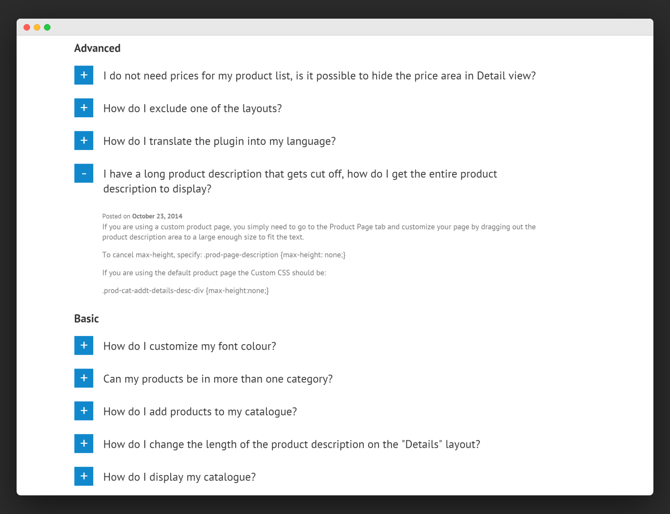
This screenshot shows what a finished page can look like.

That said, keep a couple of points in mind.
- The cost adds up, more so with premium licenses spread across several blogs.
- Its main purpose is a single, all-in-one FAQ page. Placing it inside a sales page is possible, but the plugin was not built with that in mind.
If you do not sell software or a complicated product that draws lots of questions, one of the cheaper options further down may be enough.
Heroic WordPress FAQs Plugin
Heroic WordPress FAQs handles every part of managing FAQs in WordPress. Its interface for adding them to your site is one of the most appealing around.
Even better, editing happens on a single page, with no hopping between screens.
Key Features:
- Drag & Drop Interface for sorting questions, changing their order or grouping related ones.
- Visual Editor for rich content, so answers can go beyond plain text.
- 5 Predefined Styles you can pick from and then adjust.
- Responsive, so it looks good on every screen.
- Easy Customization that lets it fit your brand’s style.
- Shortcode that places your FAQs wherever you need them.
- Schema Enabled, so your FAQs can appear in Google rich snippets.
- Dedicated Support any time you need help.
A Typical FAQs Created With Heroic FAQs Looks Like…
There are 5 styles to pick from. Here is one example of an FAQ section made with Heroic FAQs. (View All Demo Here)
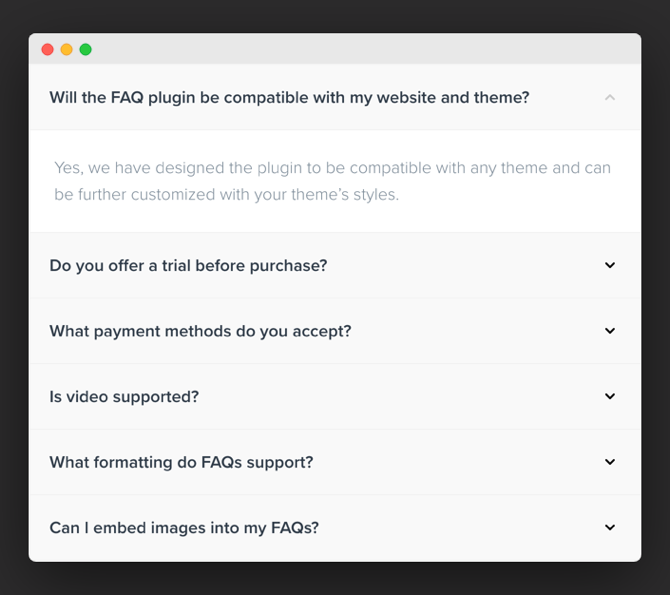
This is a strong plugin. Pick it if you want a premium option that is easy to work with, well built and pleasant to use.
A 30-day trial is included. If it does not suit you, ask for a refund and you lose nothing.
Licenses cost $49 for one site, $69 for three sites and $149 for ten.
Helpie FAQ
Helpie FAQ is one more FAQ plugin for building and editing FAQs in WordPress. You can sort FAQs into categories and tags to keep them grouped, and show them as toggles or as an accordion.
There is an FAQ block for the Gutenberg editor, and shortcodes let you place FAQs in the Elementor page builder.
Key Features:
- Search, so visitors can spot questions close to their own.
- Sorting for the questions.
- A cap on how many questions show.
- Content that collapses and expands.
- Elementor support, so you can build and style your FAQ inside that flexible page builder.
- WooCommerce support, for FAQs on your product pages.
- Works with the Helpie knowledge base plugin.
Here is an example FAQ section made with Helpie FAQ.
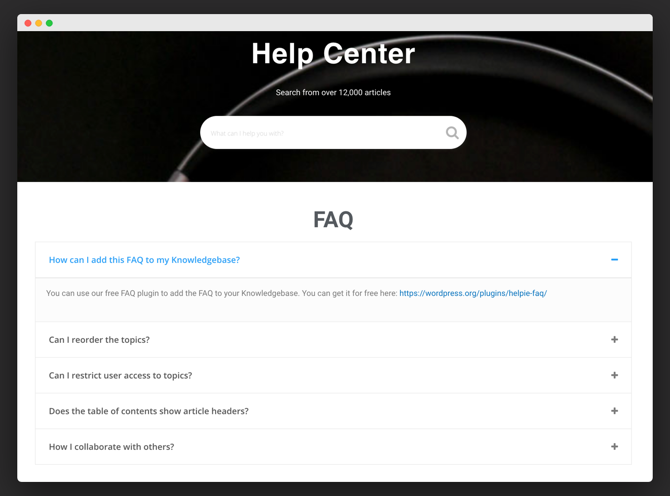
User submissions need the premium edition, though most sites can do without them. Pro costs $39 a year for one site, $99 a year for five and $149 a year for unlimited sites.
Arconix FAQ
Arconix FAQ comes from Tyche Softwares and you can get it free from the WordPress plugin directory.
It stores FAQs as a custom post type in your dashboard. A nice touch is that tags let you group the questions.
Key Features:
- A shortcode for showing FAQs.
- Toggles that show and hide each FAQ.
- Tags that group related FAQs.
- A jump link that takes readers back up to where the questions begin.
Here is an example FAQ section made with Arconix FAQ.
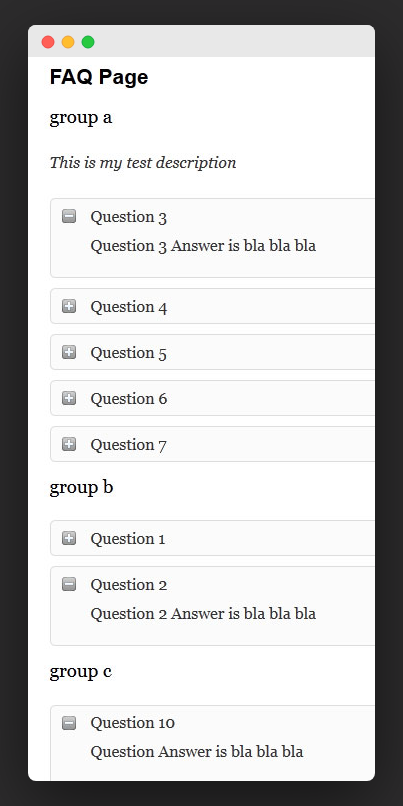
There are no extras here, just a plain, easy plugin. It suits anyone on a tight budget who cannot pay for premium tools, or anyone who simply wants something that works. For that, it does fine.
BWL Advanced FAQ Manager
BWL Advanced FAQ Manager is sold on CodeCanyon and made by one of Envato’s elite authors.
Buyers give it an average rating of 4.71, a sign that most of them are very happy with it.
Key Features:
- Live search, so visitors find what they want.
- 7 color choices to match your brand.
- Pagination, so a long list of questions does not break your layout.
- A submission form where visitors can send in questions.
- Drag & drop for ordering questions.
- Visual Shortcode Editor.
Here Is An Example FAQ Section Made With It…
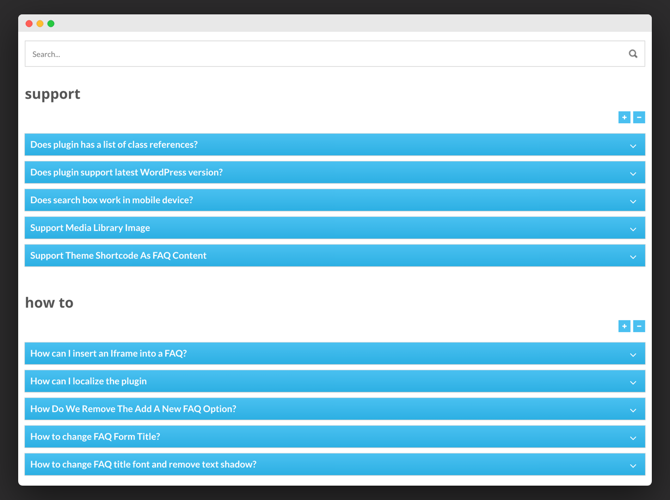
On CodeCanyon it currently sells for $21, which includes unlimited updates and 6 months of support.
WP Responsive FAQ with Category
Free in the WordPress plugin directory, WP Responsive FAQ with Category is built by WP OnlineSupport.
It is a basic plugin: drop in the shortcode and an FAQ appears on your page or post. A small, easy tweak to that shortcode shows just one category of questions.
Other things it can do:
- Show only a handful of items on each page by setting a cap.
- Set the transition speed, which few other plugins let you do.
- Add a thumbnail image.
The premium version unlocks more, for example:
- 15 ready-made designs.
- WooCommerce support for FAQs on product pages.
- A drag and drop interface for reordering questions.
- Smoother animation than in the free edition.
- A grid view.
Here Is An Example FAQ Section Made With It…
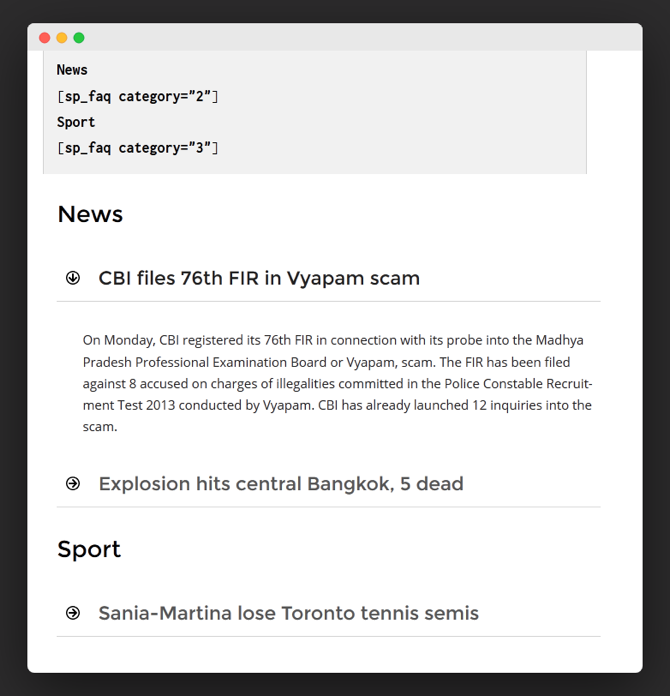
Start on the free version and move up to premium later if you need to.
It makes most sense if you also like the developer’s other plugins and themes, since one lifetime license covers them all and can save a good amount.
Pay once and you get unlimited updates on a bundle: 41 pro plugins, 11 premium themes and 4 pro add-ons. One site costs only $99 and includes 6 months of support. Five sites with 1 year of support run $149 on the plus plan, while the professional plan is a $299 one-time payment, again with 1 year of support.
Not interested in the rest of the bundle? Stay on the free version or look at the many other choices here.
Ultimate Blocks
Ultimate Blocks is a plugin that adds extra blocks to the Gutenberg editor, giving it more to work with.
FAQs are not its main focus. Still, its ‘Content Toggle’ block lets you build an FAQ section on any WordPress post or page.
It also brings other handy Gutenberg blocks, such as –
- Table of Contents.
- Content Filter.
- Review Box (Schema Enabled).
- Image Slider.
- Click to Tweet, among others.
Here is an example FAQ section made with Ultimate Blocks.
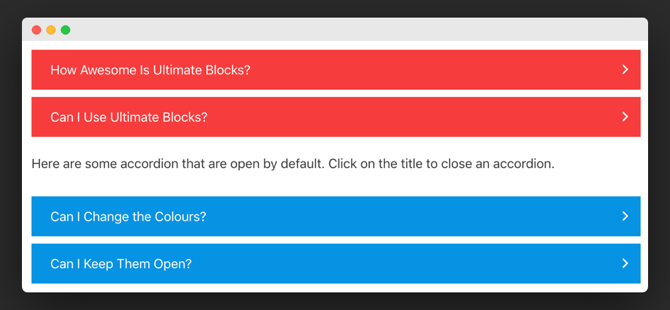
Working in the Gutenberg editor? Then this free download from the WordPress directory is well worth adding.
FAQPlus
Sold through CodeCanyon with a 4.6 star rating, FAQPlus is a paid option for building question-and-answer sections in WordPress.
Among its features:
- 25+ easing animation effects for fine control.
- Works inside the Visual Composer builder.
- Colors you can change to fit your brand.
- Drag and drop to put questions in your order.
- A custom CSS option for changing the design however you like.
Here is an example FAQ section made with FAQPlus.
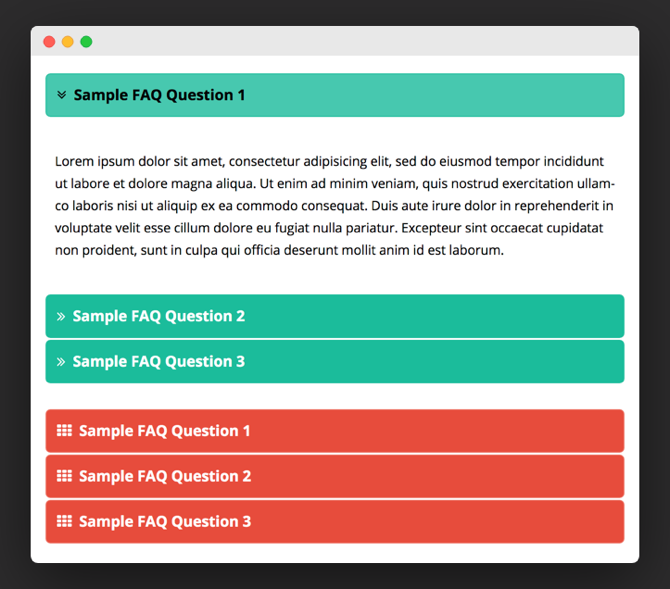
The price on CodeCanyon is a modest $25, so it is easy on the budget.
Quick and Easy FAQs
Inspiry Themes makes Quick and Easy FAQs and gives it away free in the WordPress plugin directory.
Setup is easy, and building an FAQ section for your blog costs nothing.
Key Features:
- Stores FAQs as a custom post type.
- Shows each question as a toggle.
- Lets you change the toggle’s text, background and border colors.
- Has a box for your own custom CSS.
- Works with the Visual Composer plugin.
Here is an example FAQ section made with Quick and Easy FAQs.
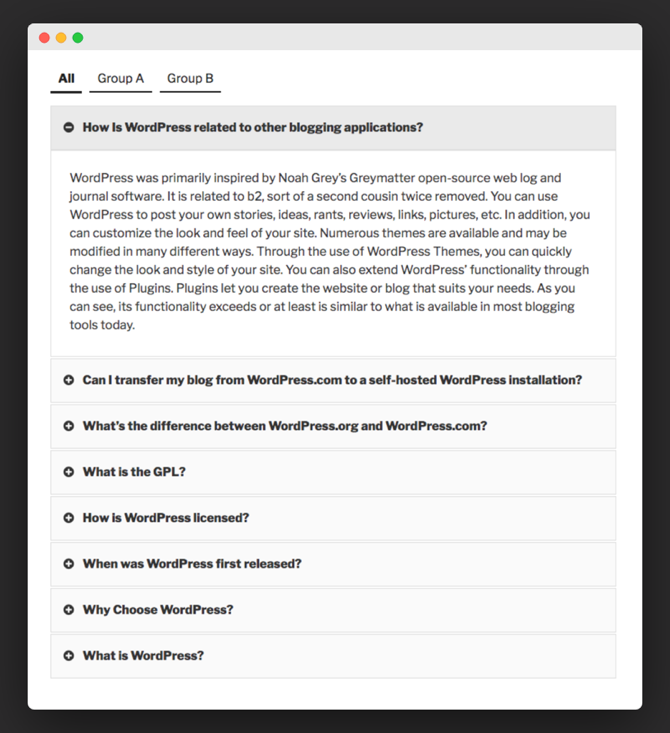
A fine choice for getting started.
Accordion FAQ WordPress Plugin
PressApps, one of Envato’s elite authors, makes it, and CodeCanyon is where you buy it.
- A drag-and-drop feature that makes reordering the questions quick.
- Split questions across pages instead of one long list.
- Full control over how it looks.
- Quick support on working days.
- Pick an accordion, a list or a block accordion layout.
Here is an example FAQ section made with it.
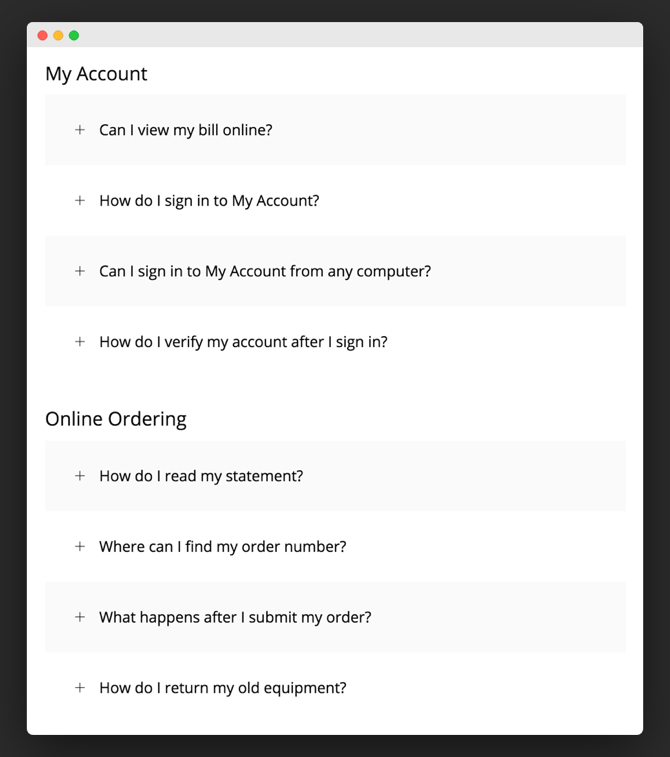
On CodeCanyon it costs only $20, which covers future updates plus 6 months of support.
FAQ WD
FAQ WD comes from WEB Dorado. A free version is available to download from the developer’s site, and the paid one costs $20.
Features it already includes:
- As many FAQs and categories as you want.
- A search box so visitors can find their question.
- Drag and drop, so you can arrange the questions in whatever order you prefer.
- Question ratings, so readers can say how helpful an answer was.
- Buttons for sharing on social media.
Here Is An Example FAQ Section Made With It…
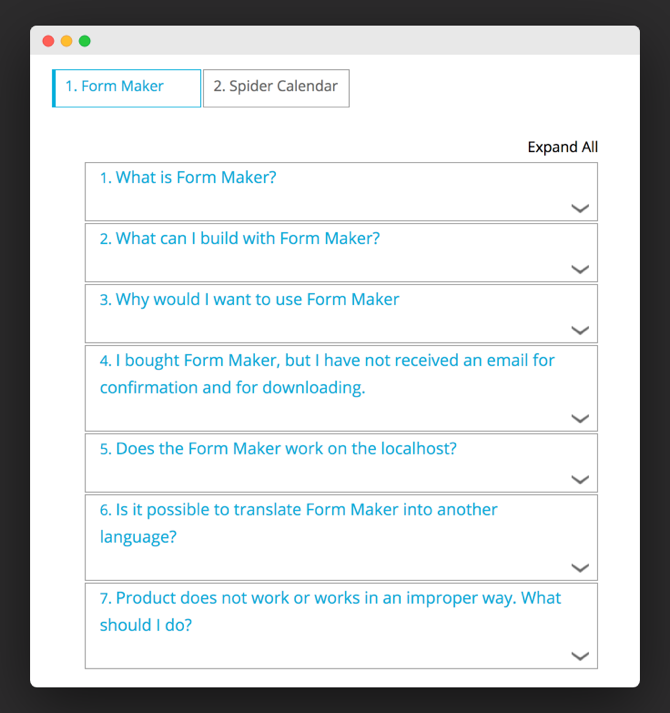
Paying gets you 6 months of full support from the developer plus 5 themes you can customize. You can also add a theme of your own for total control over the design.
More Info
Yith FAQ Plugin
YiThemes makes this one, and it is paid only.
Premium features are plentiful, so you decide every detail of how your site’s FAQ section is shown. It is solidly built.
These include:
- A search bar on the FAQ page, so visitors can quickly find answers to what they want to know.
- A category filter that shows only questions matching it.
- Simple styling options for changing how the layout looks.
- Several display styles to pick from.
- 1 year of updates and support from the developer.
Here is an example FAQ section made with it.
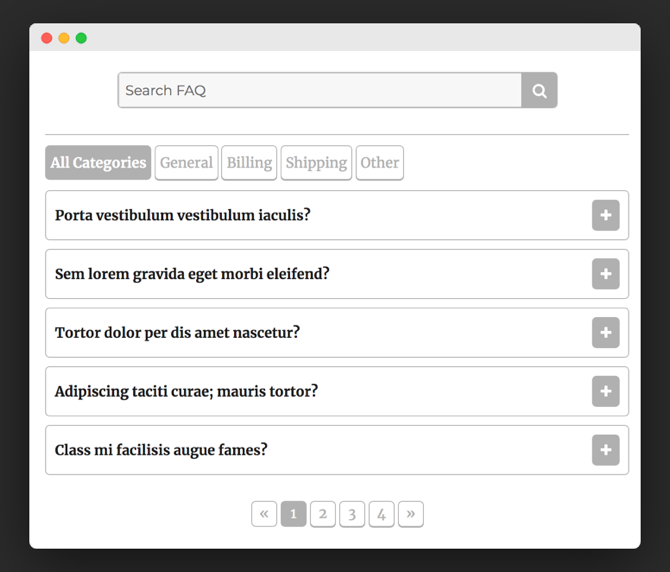
Licenses cost 60 euros for one site, 120 euros for six sites and $200 for thirty.
WooCommerce Product FAQ Manager
An elite CodeCanyon author makes WooCommerce Product FAQ Manager, and that marketplace is where it is sold.
The name says it all: it is built just for FAQs on WooCommerce products. If that is the only place you need FAQs, it fits perfectly. Its average rating is 5 stars.
- Set up common questions once, instead of adding them again on every page.
- Drag and drop to change question order.
- Clone a question or remove it, each with a single click of a button.
- Search to sift through questions quickly.
- Turn it on or off for any product page.
- 6 ready-made themes included.
Here is an example FAQ section made with it.
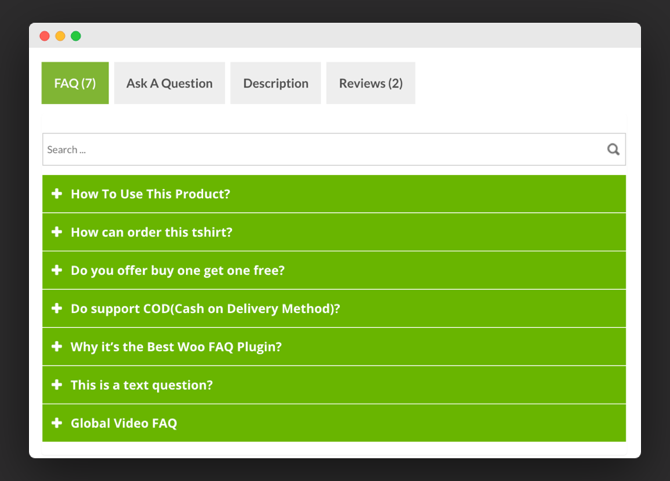
For FAQs on WooCommerce product pages, WooCommerce Product FAQ covers just about everything you might want.
Conclusion
No need to dig through hundreds of plugins to find a fit. The plugins above give you a short list to pick from.
Starting out free? Ultimate Blocks, Helpie WP and WP Responsive FAQ with Category are all good bets.
For WooCommerce only, look at WooCommerce Product FAQ Manager.
Happy to pay? BWL Advanced FAQ Manager, Accordion FAQ WordPress Plugin and Heroic WordPress FAQs Plugin are the strongest premium picks.
Pick the one that fits how your site is built, and start with its free version if it has one.
No longer available
- HTML5 Responsive FAQ